Table Helper
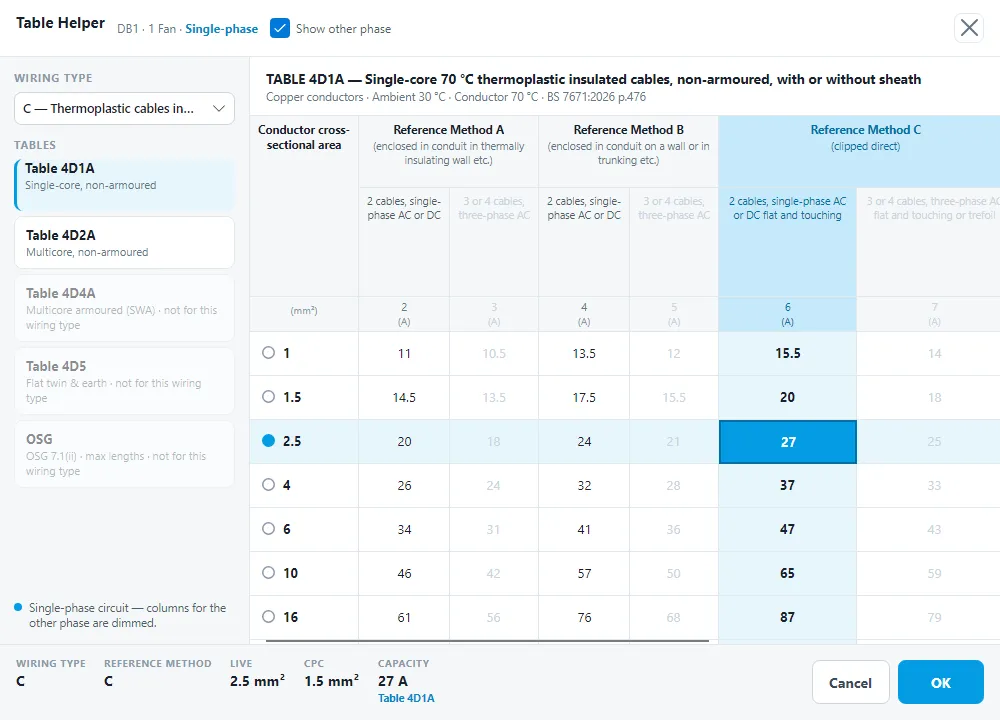
The Table Helper shows the BS 7671:2026 Appendix 4 current-carrying capacity tables for the circuit you are working on, so you can pick the cable from the table. It has:
- Table 4D1A: single-core 70 °C thermoplastic insulated cables, non-armoured.
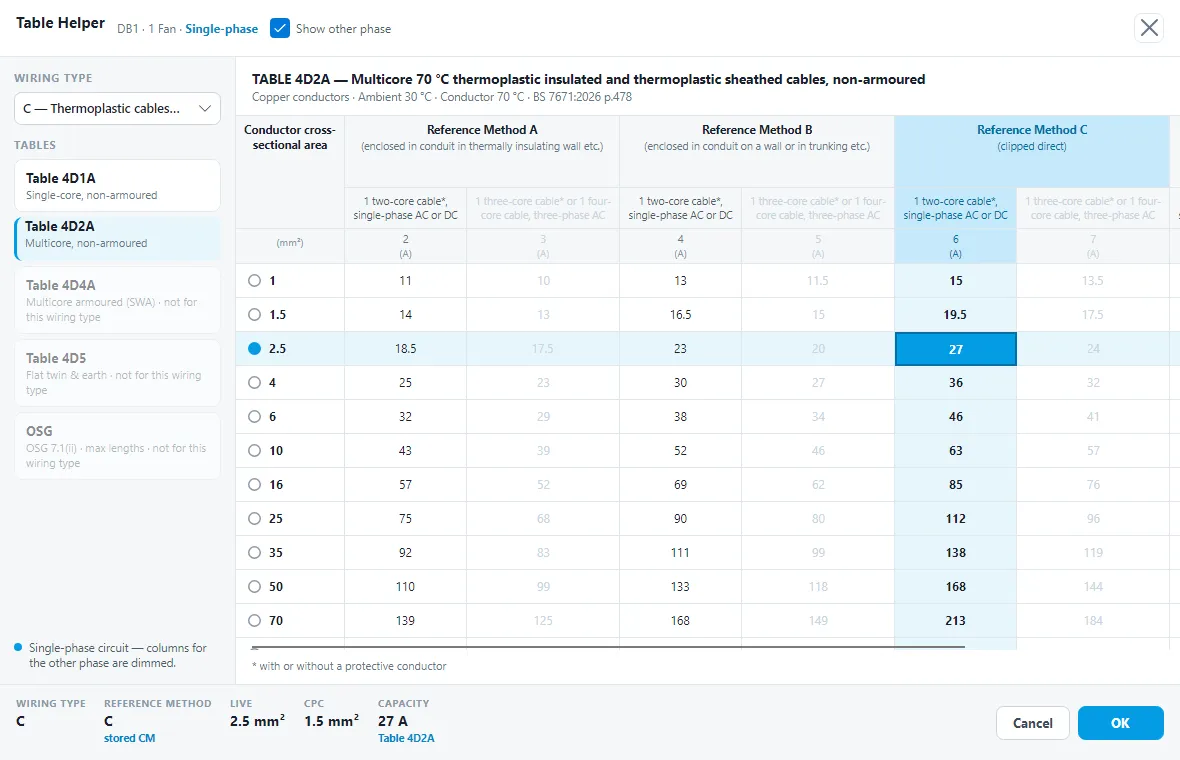
- Table 4D2A: multicore cables, non-armoured.
- Table 4D4A: multicore armoured cables (SWA).
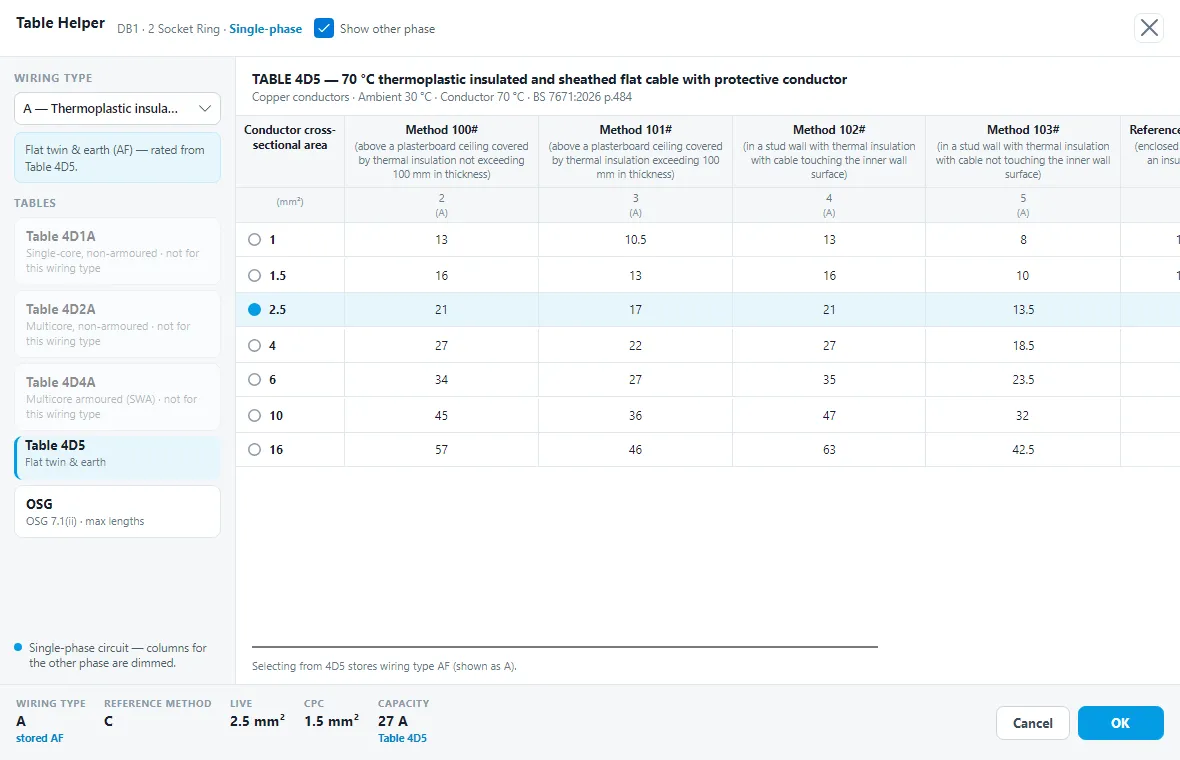
- Table 4D5: flat twin & earth.
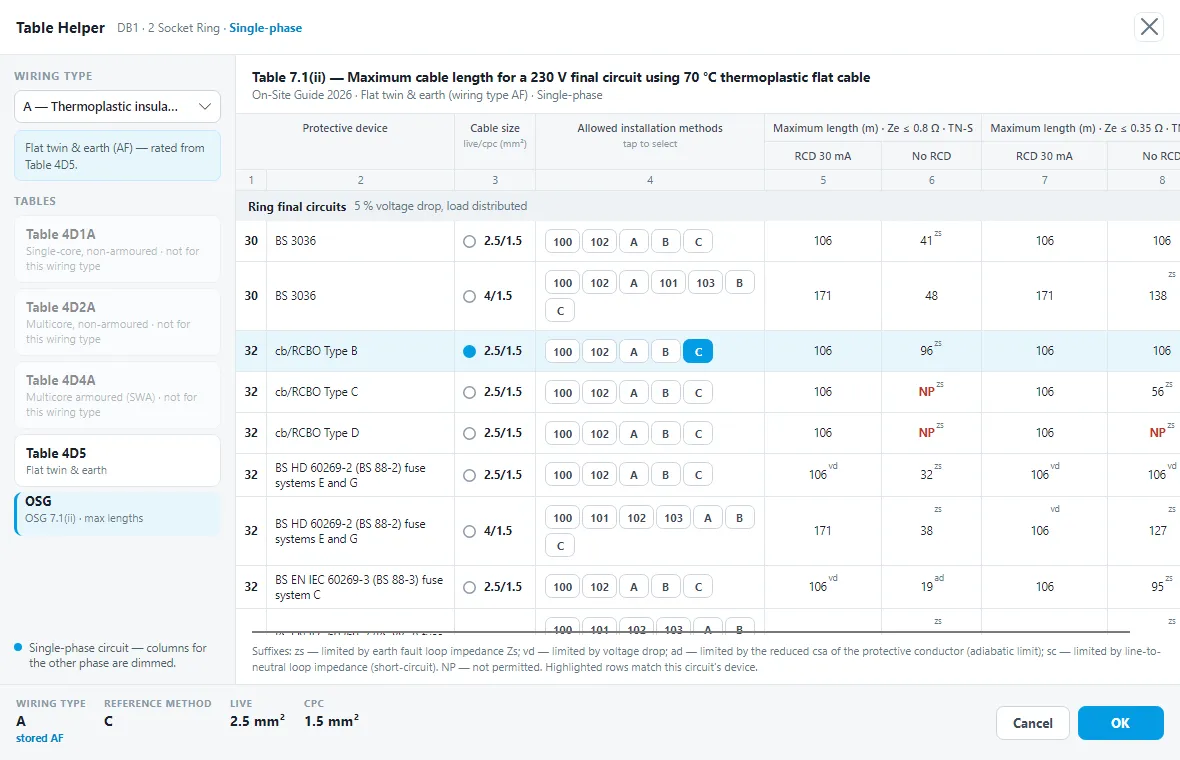
- OSG: the On-Site Guide Table 7.1(ii) maximum cable lengths.
When you click OK, the wiring type, reference method, live and cpc sizes you picked are written back to the circuit.
Opening it
In Shine Forms, open the certificate and go to the Circuits and Test Results page. Select the circuit, then click Table Helper in the Circuits group of the ribbon. It opens for the current circuit in the schedule. The button is there on certificates with a circuit schedule, the EICR and the EIC.
In the tablet app, tap the circuit’s Wiring type or Reference method and tap the Table Helper link at the bottom of the picker. It works on the EICR, EIC and Minor Works 2026. The picker only appears when Show single letter wiring types and reference methods is turned on in the app’s Options. See Circuits and test results.
The window
- The header shows the board and circuit, and the circuit’s phase, Single-phase or Three-phase, with the Show other phase tick box.
- On the left is the Wiring type drop-down, with a hint under it for some wiring types, and the Tables list. Tables that don’t apply to the wiring type are greyed and marked not for this wiring type. A note at the bottom says how columns for the other phase are shown.
- In the middle is the table: its title and details, then the table as it is printed in BS 7671, with its grouped column headings (Reference Method A, B, C and so on, with their conditions and the columns under them). Long headings wrap onto two lines to keep the columns narrow.
- The footer shows what you have chosen: Wiring type, Reference method, Live, CPC and Capacity, with the table the capacity came from. OK and Cancel are at the right.
Choosing the cable
- Click a column heading to choose the reference method.
- Click a size (the round button at the start of a row) to choose the live conductor size.
- Click a cell to choose both at once.
Click OK to write the wiring type, reference method, live and cpc to the circuit. Cancel changes nothing.
Columns for the other phase
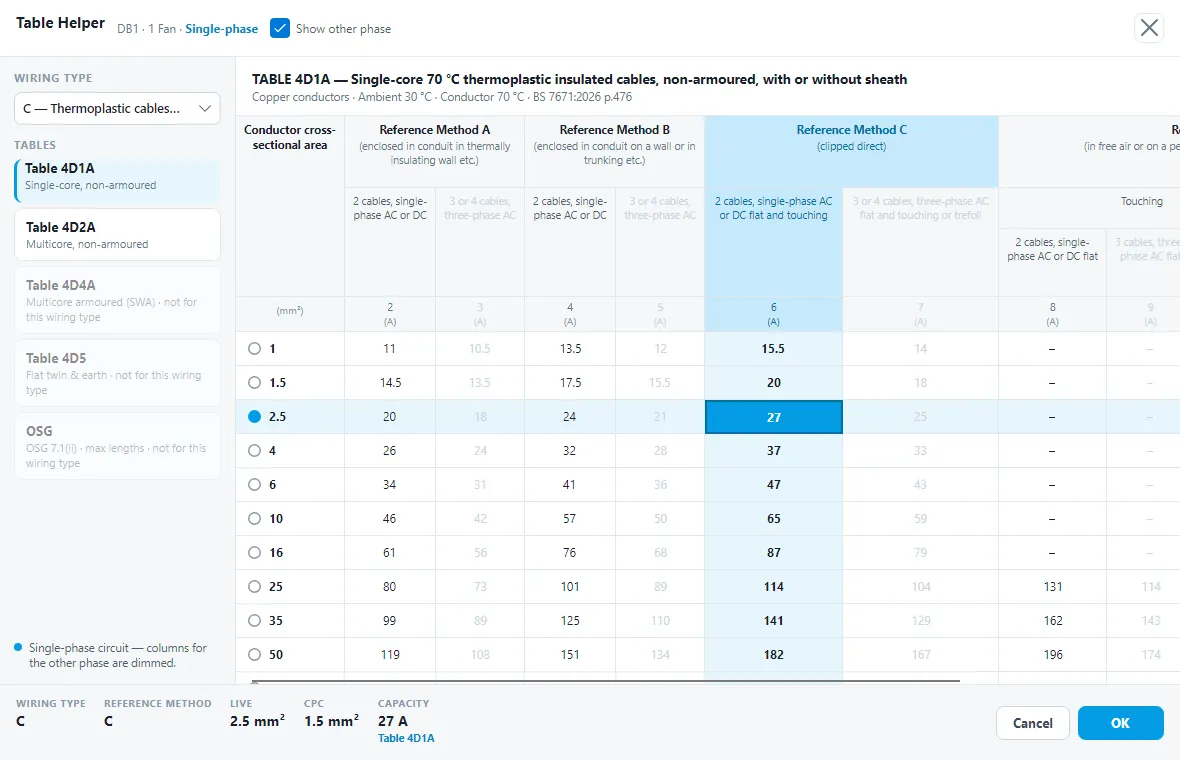
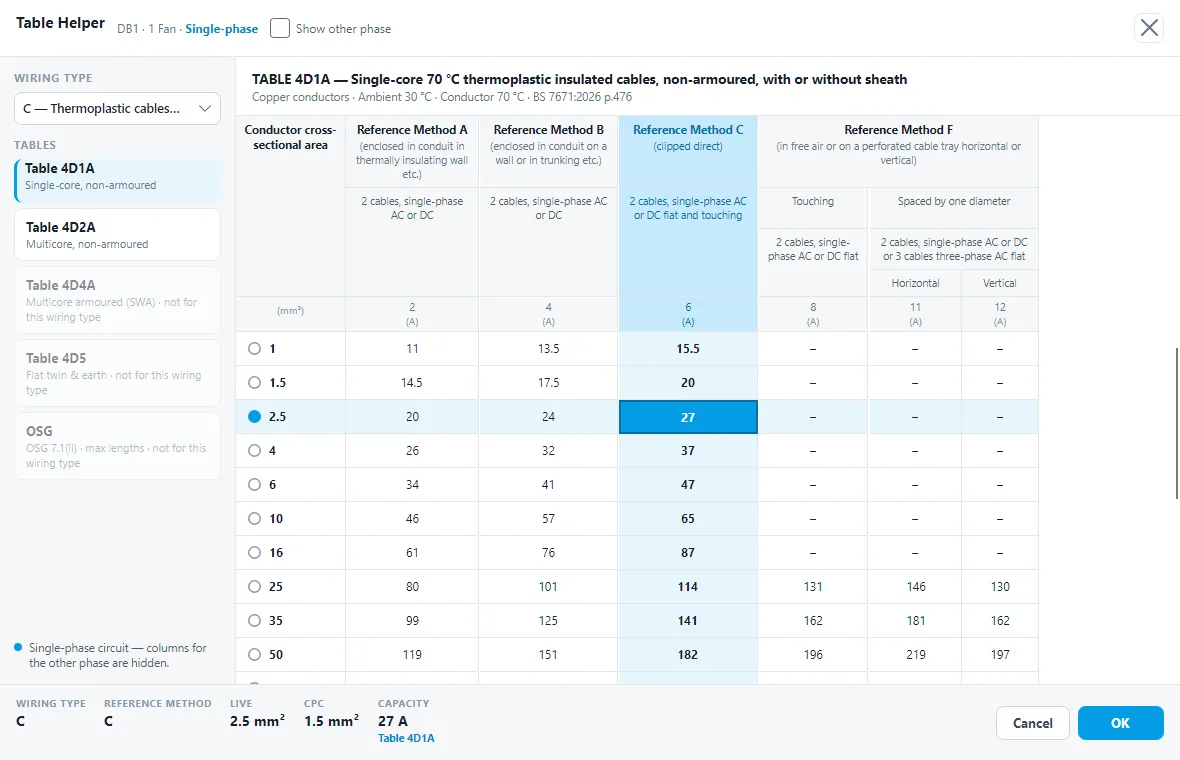
Columns for the other phase, such as the three-phase columns on a single-phase circuit, are dimmed and can’t be picked. Untick Show other phase to hide them. This makes the table narrower. Shine Forms remembers your choice next time, whether you closed the window with OK or Cancel.
If a table has no columns for the circuit’s phase, its columns stay shown, dimmed. Table 4D5 on a three-phase circuit is an example.
Variants of a code
Some wiring types and reference methods are stored as a variant of the BS 7671 letter, for example reference method CM (multicore) rather than C (single-core). The footer then shows the letter with the stored code under it, such as C stored CM.
Flat twin & earth
Selecting from Table 4D5 stores wiring type AF (flat twin & earth). The window says so under the table.
The OSG tab
OSG shows the On-Site Guide Table 7.1(ii) maximum cable lengths for the circuit, by protective device and cable size, with the installation methods each row allows.
Wiring types with no table
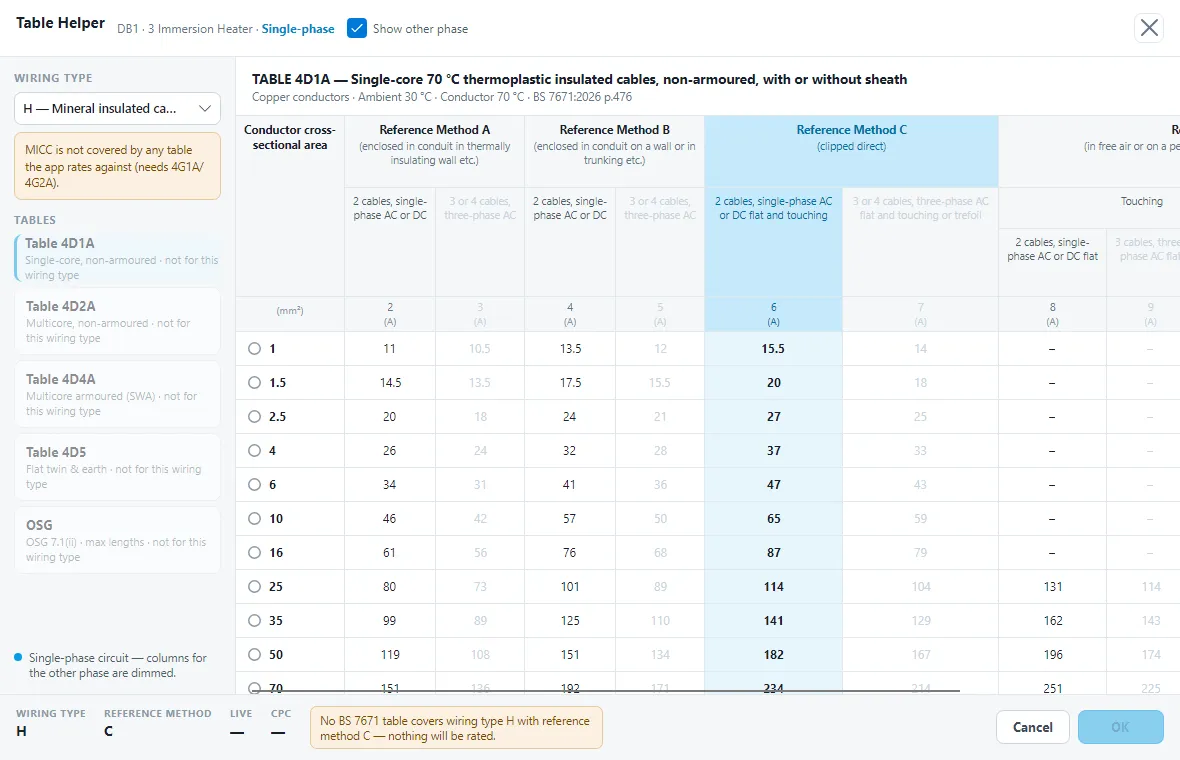
If you choose a wiring type that no Appendix 4 table covers, such as H (mineral insulated), every table is greyed and a warning explains that nothing will be rated.
On the tablet
The tablet app shows the same window, sized for the tablet.