
The Shine Forms tablet apps will be available soon. Follow us on LinkedIn, watch our blog, or sign up to our newsletter for updates.
Intelligence
Shine Forms’ Intelligence checks what you enter against the requirements of BS 7671 as you go. When something doesn’t add up — a cable too small for its protective device, a Zs above the maximum permitted, an RCD that is required but not recorded — it raises a statement: an observation, a coded schedule item or a limitation, worded for you and linked to the board and circuit concerned.
This is the same Intelligence that Shine Forms Desktop users know from the Intelligence feature, running on the tablet.
Where you see it
- On the Circuits & Tests cards, the Circuit helper under each circuit lists the statements raised about that circuit, each with its rule number, a Suppress button and a link to the Intelligence Manager.
- On the Observations tab, observations raised by Intelligence are marked from Intelligence.
- On the inspection schedule, items coded by Intelligence can only be made more serious, not less.
The Intelligence Manager
Open the Intelligence Manager from the ribbon: tap the section name or Ribbon, then the Intelligence Manager tab. It lists every statement raised on the certificate.
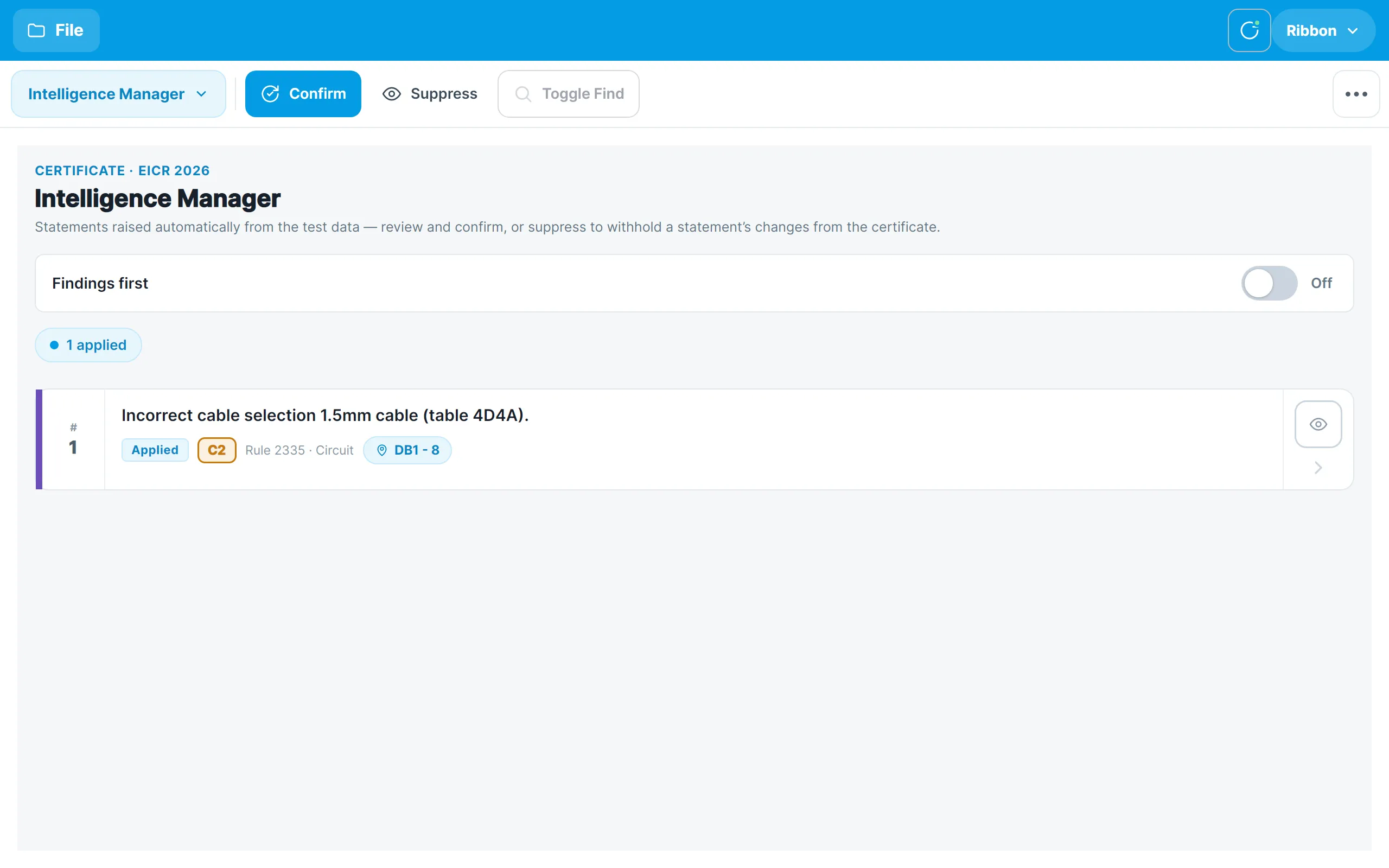
Each statement shows whether it is Applied, its classification code, the rule that raised it, and the board and circuit it applies to. The count chips above the list summarise how many statements are applied, confirmed and suppressed.
Tap a statement to open its details:
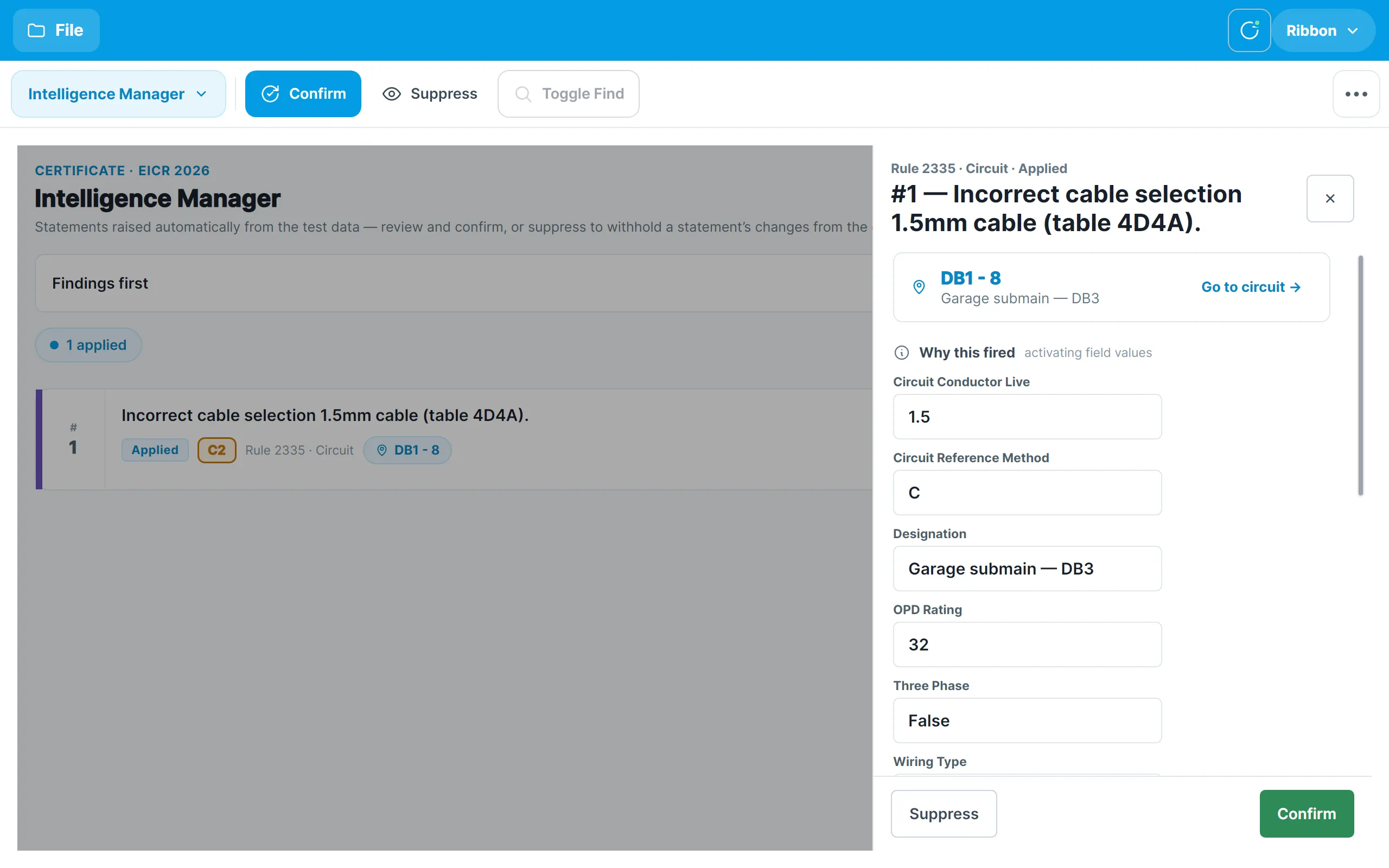
- Why this fired lists the values in your certificate that the rule looked at.
- Findings shows what the statement has written to the certificate — the observation raised, its code and its wording.
- Go to circuit takes you to the circuit concerned so that you can check or correct the readings.
- Confirm marks the statement as reviewed. Suppress withholds its changes from the certificate; the statement stays in the list, struck through, so you can see that it was raised and un-suppress it later. The eye button on each card does the same without opening the details.
Findings first
By default a statement is applied as soon as its rule fires, so the observation appears on the certificate immediately. If you would rather review each statement before it changes anything, turn on Findings first at the top of the Intelligence Manager. Statements then wait as Pending with an Apply button, and Apply all applies every pending statement together. Applying a statement puts all of its changes on the certificate at once; un-applying removes them together.