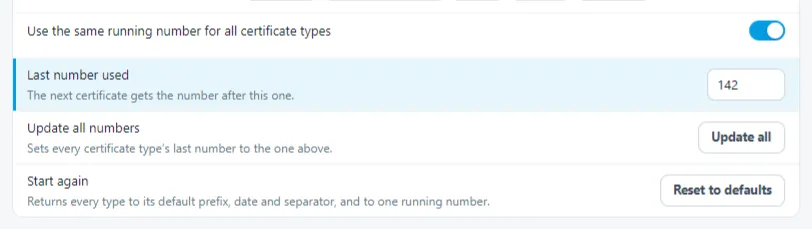
You can adjust the way Shine Forms generates numbers for new certificates from inside Numbering section of Shine Forms Options.
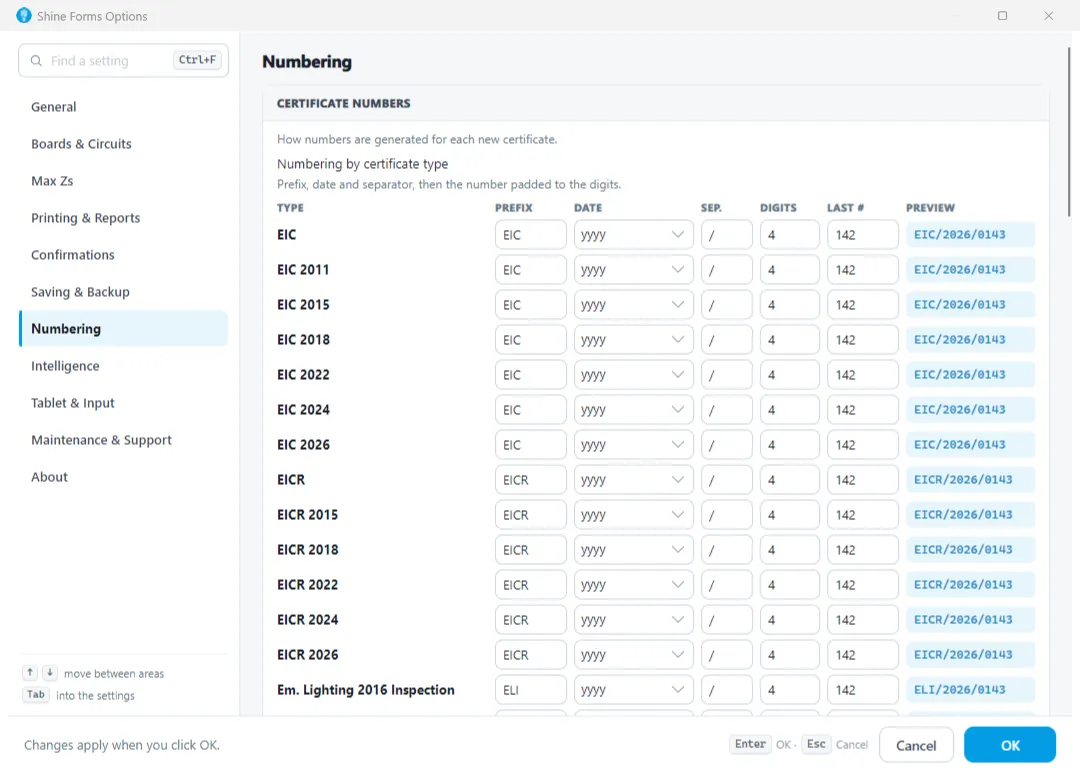
This allows you to adjust sections of the generated certificate number such as:
- The prefix.
- The format of the date section.
- The separator character used.
- The length of the number (e.g. “0001” would be 4, “001” would be 3, etc.) .
- The last number used for each certificate type.
For the number, you can choose to use the same number for each certificate type (which is the default setting) or specify a number for each type.
Updating the last certificate number
Enter the last used certificate number in the box at the top of the dialog. Then click Update All to adjust the numbers accordingly.