
Dashboard
The dashboard is the first page you land on, and it answers one question: is there anything about your licences that needs doing today? Three counts along the top, then the licences that are running out, then your last few orders.
It is the front page of your Shine Forms account — the sidebar’s Dashboard, or account.shineforms.co.uk.
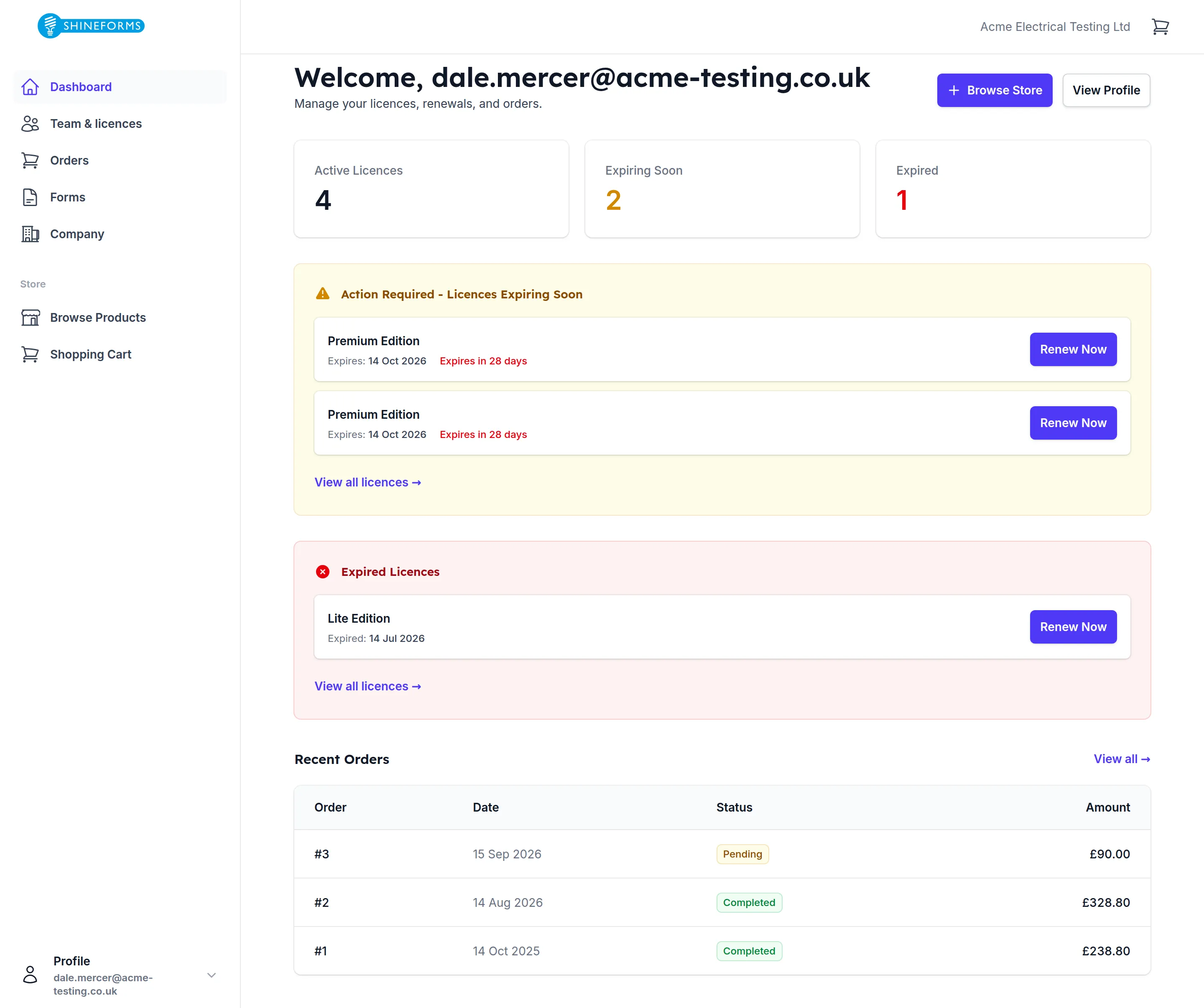
The three counts
Active Licences is every licence your company holds that has not expired. Expiring Soon is how many of those run out within the next 90 days. Expired is how many have already run out.
Active and Expiring Soon overlap on purpose. A licence expiring in a fortnight is still an active licence — it is counted in both. So a company with one licence, three weeks from its renewal date, reads 1 active and 1 expiring soon, not nought and one. Nothing is wrong: you have a working licence, and it needs renewing.
The two later numbers only colour themselves — amber, then red — when they are not nought, so a page of plain black figures means there is nothing for you here.
These are your company’s licences, not yours. Whether or not you are an administrator, the counts cover everything the company holds, because a licence expiring on a colleague’s tablet stops work just as surely as one expiring on yours.
Licences running out
Anything inside the 90-day renewal window gets an amber panel of its own, one line per licence, in the order they expire.
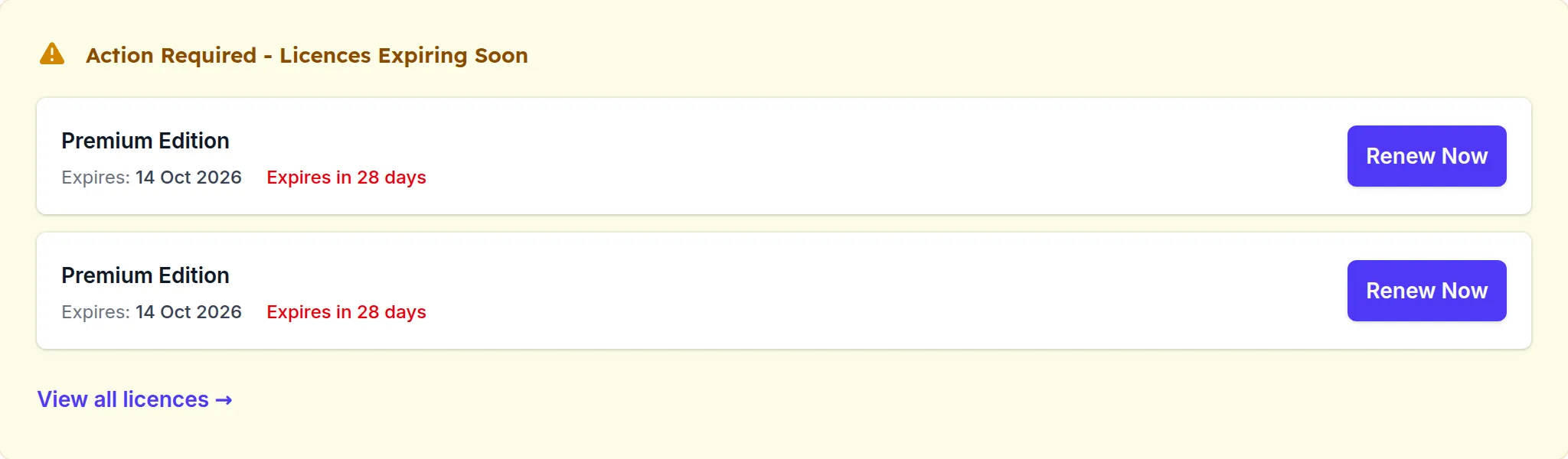
Each line gives you the product, the date it runs out and how many days that is from today.
Ninety days is deliberately generous. You are not meant to act on the first day one appears here — it is there so that a licence never runs out without having been on this page for three months first.
Renew Now does not buy anything. It puts that licence’s renewal in your shopping cart and the button becomes In Cart, so you can work down the panel adding each one and pay for the lot together. Nothing is charged until you check out.
Because the cart lives in the browser you are using, a renewal you added at the office will not show as In Cart on the laptop at home. It has not gone anywhere — start again on the machine you mean to pay from.
Occasionally Renew Now answers with a message about an annual renewal plan rather than adding anything. That means your company is being moved onto a single shared renewal date and there is an alignment order waiting to be paid; renewals are held until it is. Pay that order — it is in your order history — and the button works again.
Licences that have already expired
Below the amber panel, in red, are the licences that have already run out. They stay listed until they are renewed or removed.
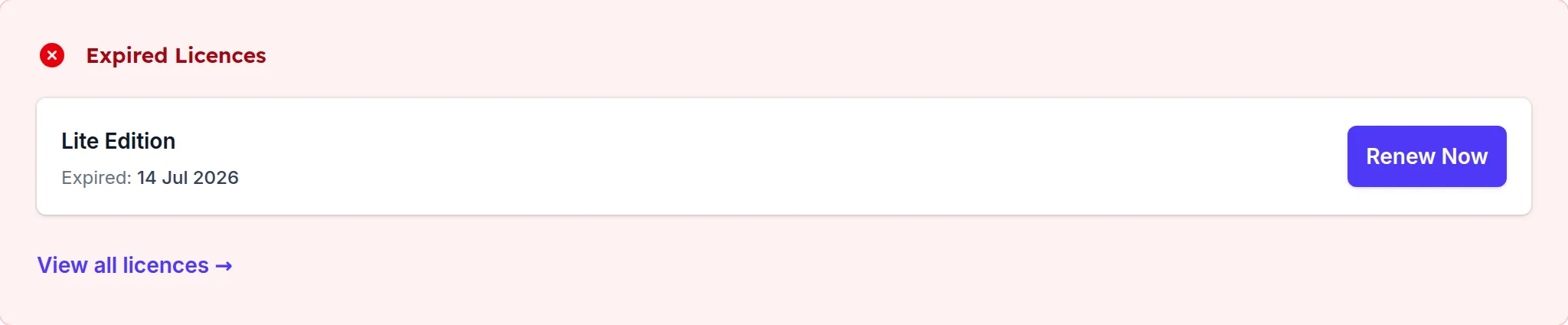
They look the same but read a little differently: an Expired date rather than a countdown. Renew Now works exactly as it does above, and an expired licence renews at the same price as one caught in time — nothing is lost by being late, beyond the days nobody could work.
A licence nobody needs any more belongs on Team & licences, where it can be left unassigned and allowed to lapse quietly rather than sitting in red on this page for ever.
Recent orders
The last three orders, newest first, with what each one came to.
These are your own orders, not the company’s. That is worth knowing, because the licence figures above them are company-wide — so an administrator sees a company’s worth of licences sitting over a personal list of purchases. To see everything the company has bought, use View all, which opens the full order history.
Clicking any row opens that order in full — what was on it, who it was for, and the invoice.
The two buttons at the top
Browse Store goes to the shop, for buying a new licence rather than renewing an old one. View Profile is your own details: your name, your address and how you are contacted.
What everyone else sees
Everybody at your company sees this same page, and the licence figures on it are the same for everyone — administrator or not. Two things differ:
- Recent Orders only ever lists your own orders, so a colleague’s purchases never appear on your dashboard.
- Anyone can add a renewal to a cart from here, but only the person who checks out pays for it.
If you are not attached to a company yet, the counts read nought and the panels do not appear at all.