
Go to your Licence Manager to manage your current licences.
You can purchase a new licence or renew or upgrade existing licences at any time from our website store:
You will need to be logged in using the account that holds the licences. Then you will see a list of your licences and the available options to renew, upgrade or buy more licences. If there are no options next to the licence then it does not need renewing at this time.
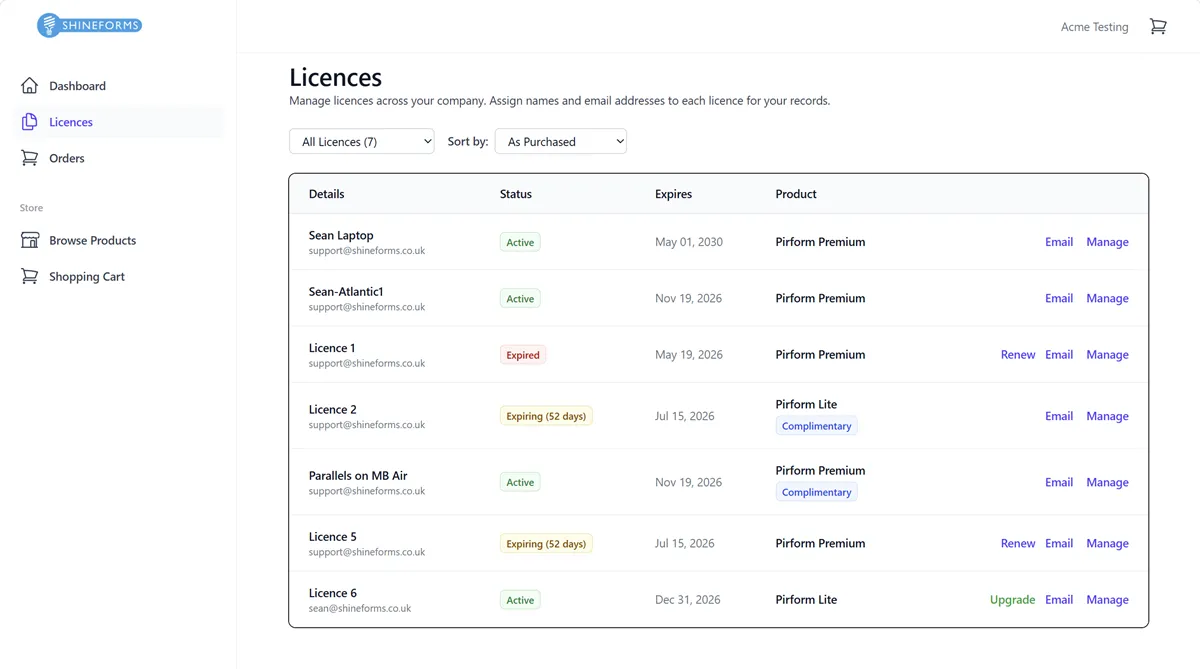
Renewing a licence
Renewing an existing licence avoids having to activate it on the computer. Check to make sure you have renewed instead of buying a new licence.
Renewing a licence will extend it by one year from the date it expires. If the licence has already expired, it will add a year from today.
In the image above there are two licences that are able to be renewed: Licence 1 and Licence 5. You can see the days to expiry and the Renew button available next to those licences.

Expired licences don’t show the days to expiry, but can be renewed at any time. When renewed, the new licence will run for a year from the date it was renewed.

Once you’ve clicked Renew, that licence will be added to your cart. Renew as many as you need, then click In Cart to go to the cart.

Buying a new licence
To purchase a new licence, go to the store page and click on Add To Cart for either type of licence.
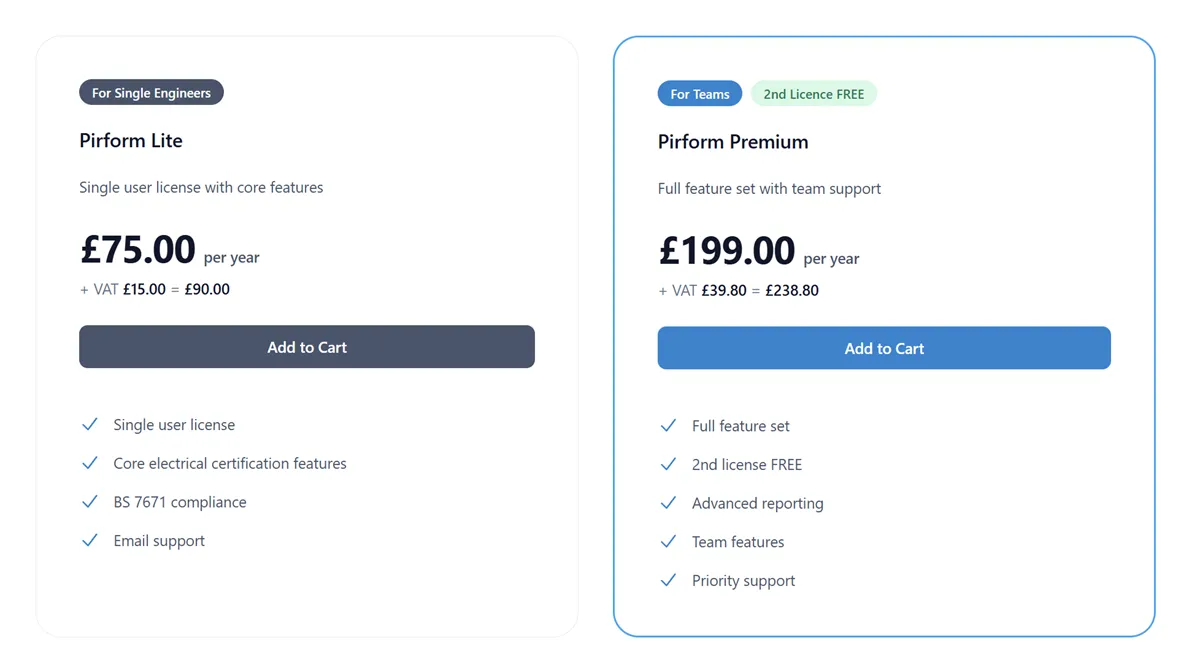
That takes you to your cart where you can adjust the quantity as needed.
Upgrading a licence
You can upgrade any of your licences at any time.
Upgrade prices are calculated by taking the difference between what you paid for your current licence and the price of the current licence and then pro-rating that for the time the licence has remaining. So, if you have 6 months left on a Lite Edition licence you will pay half of the difference between the price of a new Premium Edition licence and a new Lite Edition licence.
Just click on the Upgrade button next to the licence you want to upgrade.

You will then see the calculation for the pro-rated price next:
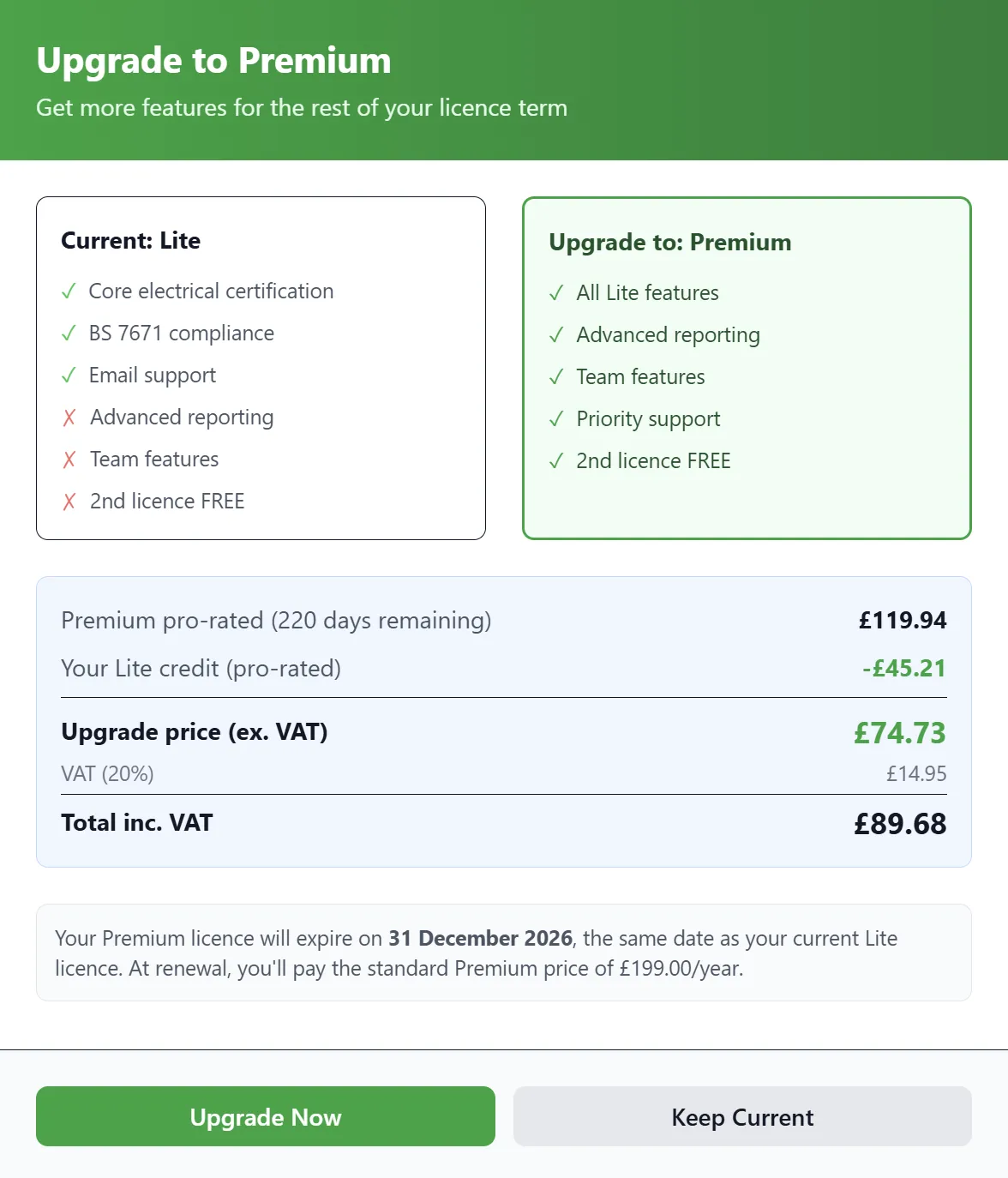
Click Upgrade Now to add the upgrade to your cart or Keep Current to cancel.
Check out and pay
The first stage of the checkout shows the items in your cart, adjust the quantity for new licences, remove items if needed, and see the total price.
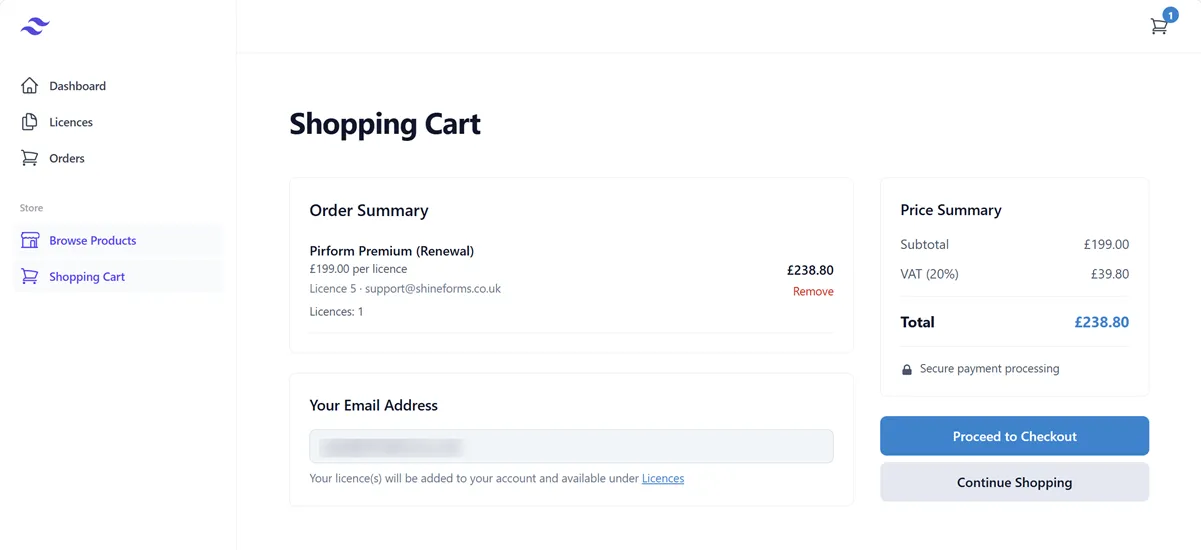
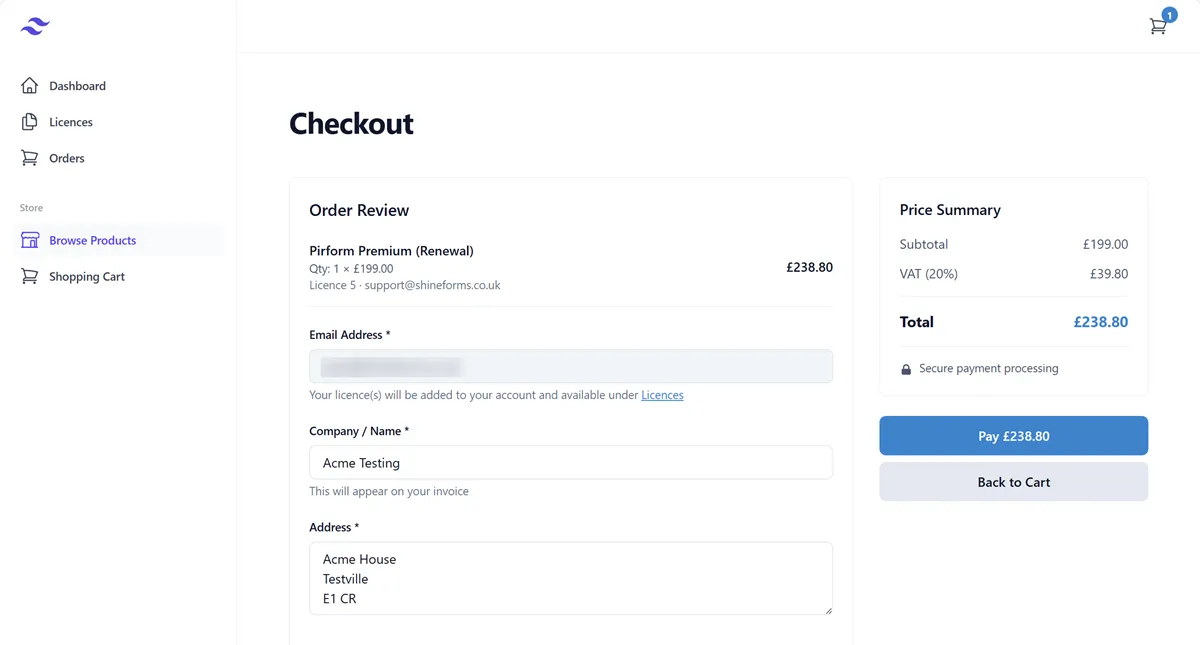
Click Proceed to Checkout and make sure the company name and address are as you want them on your invoice. Then click Pay to complete the order.
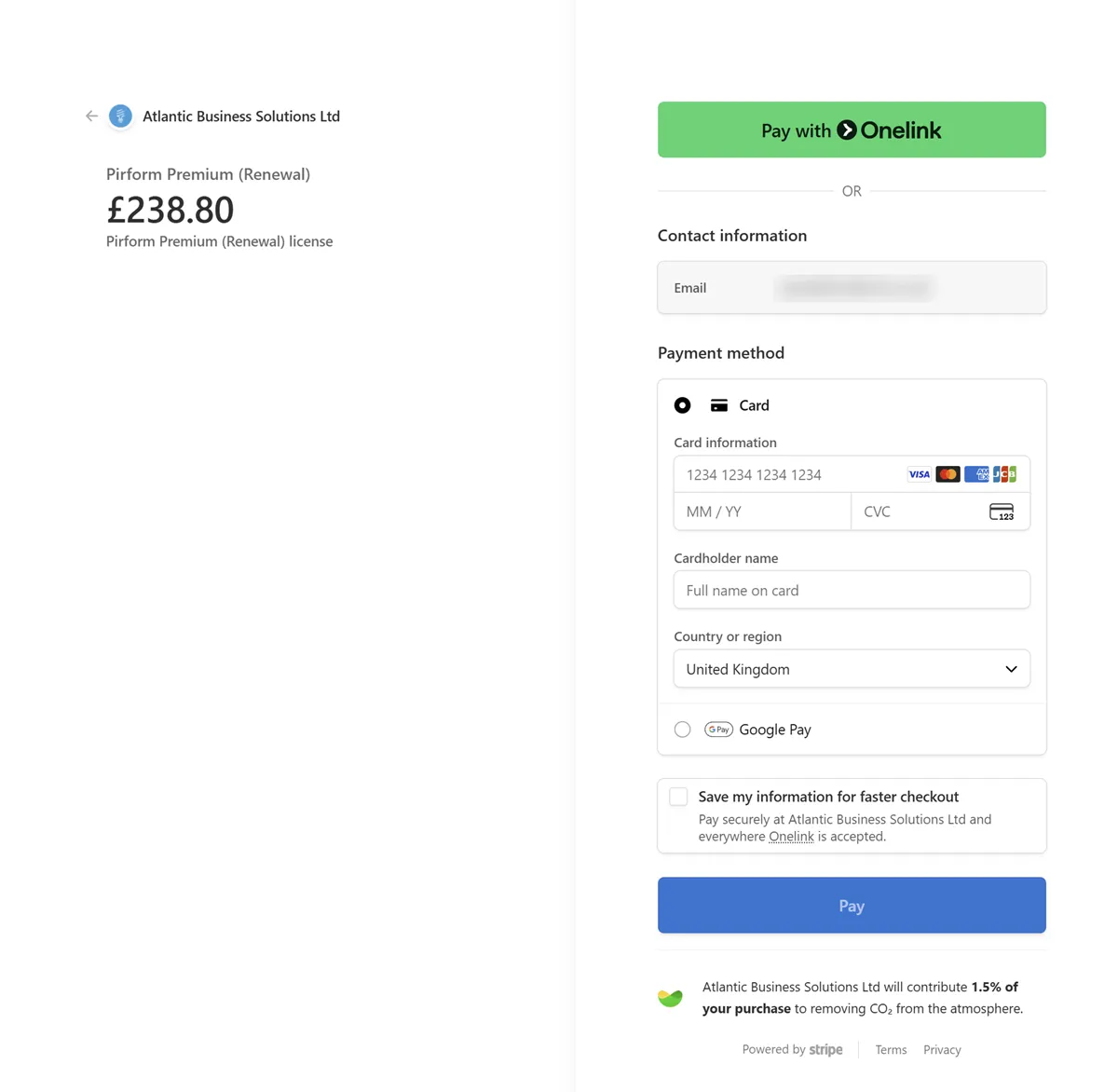
You will then be taken to our payment provider, Stripe. Just enter your card details and click Pay to complete the payment.
After you have completed your payment you will see a confirmation of your order and your licence and invoice will be emailed to you within a minute or so.