
Follow the instructions below to package and share your Shine Forms data with Shine Forms Support
Package your data folder
Download and run the installer for the Shine Forms Support Tool from the following link:
Shine Forms Support Tool installer
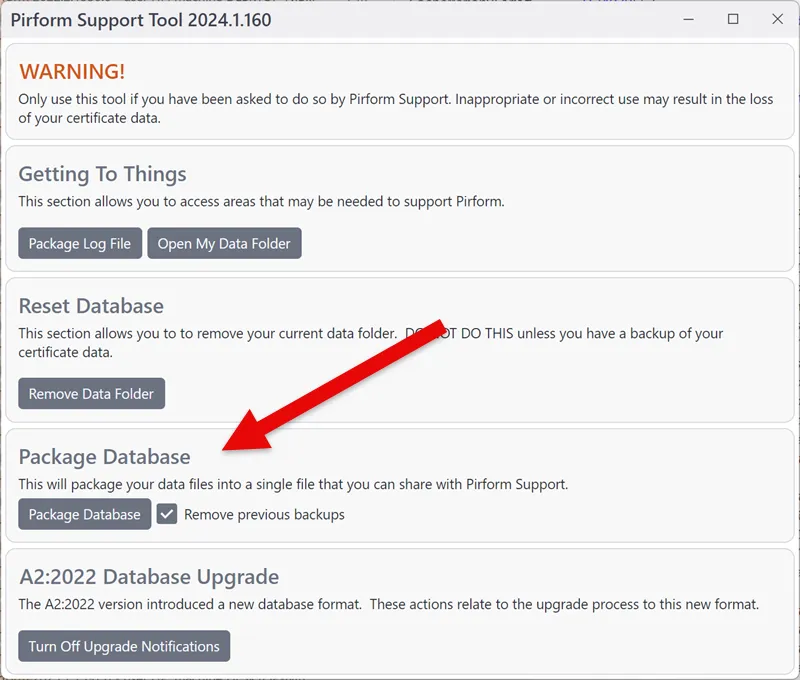
Make sure Shine Forms is not running and then click button at the top left marked Package Database:
Share the files
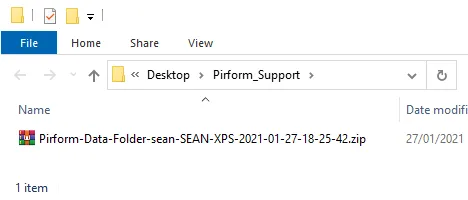
This will have created a folder on your desktop called Shine Forms_Support and placed a file in that folder whose name of the file starts with Shine Forms-Data-Folder.
That file will be too large to send by email. You need to use a file sharing service such as Dropbox, OneDrive, Google Drive or similar to share that file with us. There are instructions in the following link to set up Dropbox and use it to share a file.