If Shine Forms is running on your computer, then you can get it to send your log files over automatically. If it’s not running then you will need to download our Support Tool and then attach the log file to an email. Please follow the relevant section below to send us your log file.
Shine Forms is running
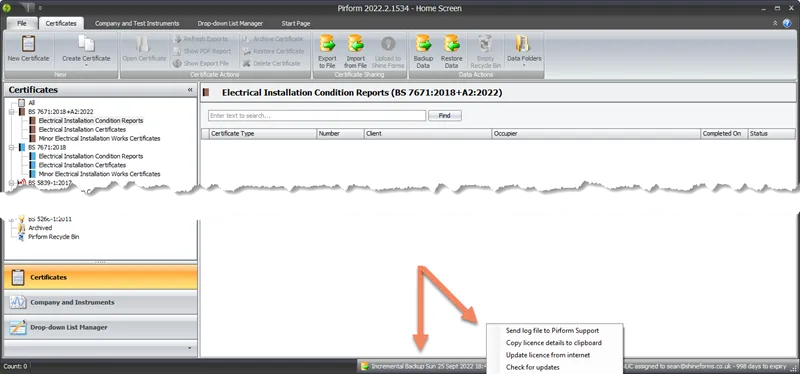
If Shine Forms runs on the computer, you can send your log files directly from the Home Screen by right-clicking over the status bar at the bottom and selecting Send log file to Shine Forms Support:
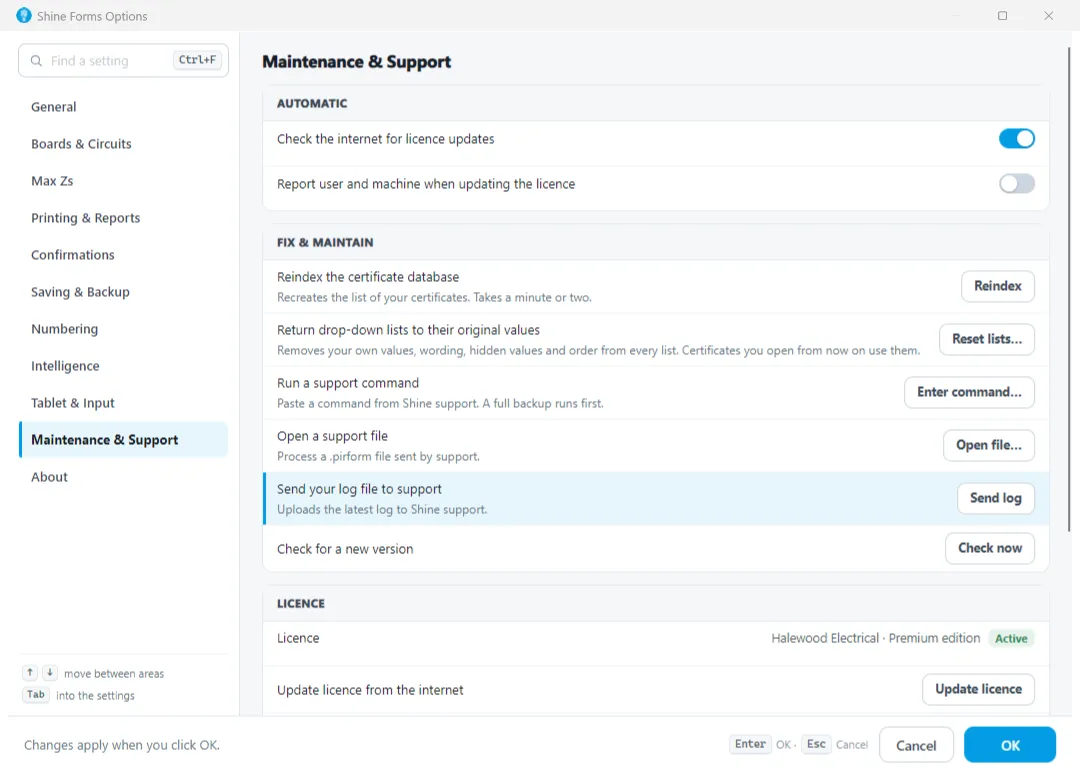
Alternatively, you can send the log file from Shine Forms Options. To do that, click File and then Shine Forms Options and go to the Support section and click Send Log File:
If Shine Forms was not able to connect to the internet to send the error report (such as when your firewall is preventing Shine Forms from accessing the internet) then please follow the instructions in the next section to send us your log file.
Shine Forms is not running
If Shine Forms will not start on your computer, then you can use our support tool to generate the logs. Download and run the installer for the Shine Forms Support Tool from the following link:
Then click button at the top left marked Package Log File:
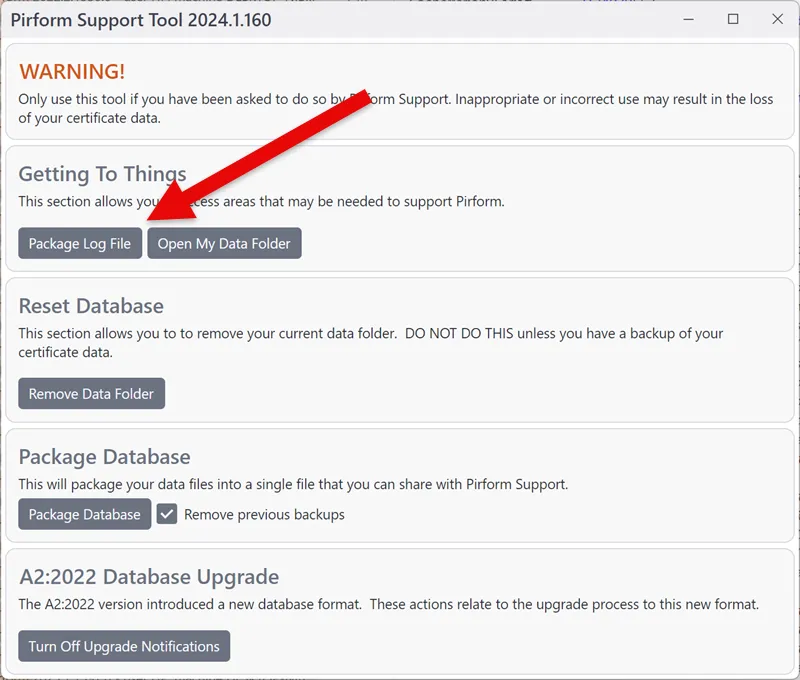
This will package up your log file and put it into a folder on your desktop called Shine Forms_Support and it will open that folder to show you the log file:
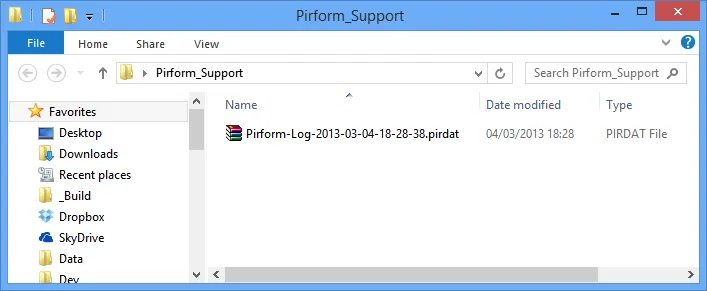
Just attach that file to an email and send it to support@shineforms.co.uk.
Alternative: find the log file using File Explorer
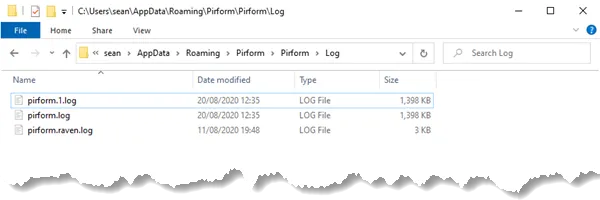
You can also use File Explorer (which used to be called “Windows Explorer”) to find the log file. To open File Explorer click on the folder icon on the taskbar or press the Windows key and E together.
When the File Explorer is open, type or copy/paste the following into the address bar and press Enter on your keyboard to open the :
%appdata%\pirform\pirform\log
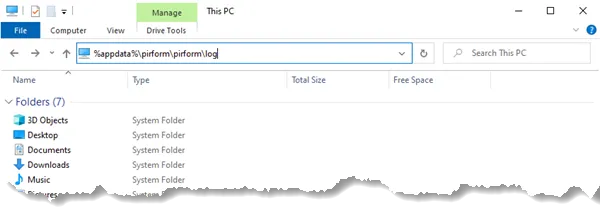
This will take you to the logs folder where you’ll find one or more files whose name starts with pirform. Attach those to an email and send it to support@shineforms.co.uk.