
Shine Desktop 2026.6 Pre-Release: BS 7671 Amendment 4 Forms
This article describes an upcoming release of Shine Forms, version 2026.6. This version is a pre-release, available to download now, and the full release will follow. It is headlined by our new BS 7671 Amendment 4 forms.
Whilst this version is very close to release, it may still contain defects or features that are not fully complete. Read more in our pre-release documentation.
BS 7671 Amendment 4: 2026 Forms
Amendment 4 was published on 15 April 2026, and from 15 October 2026 new work needs to be certified against it. Shine Forms 2026.6 adds our new Amendment 4 electrical forms — including the EIC 2026 and the EICR 2026 — so you can certify to the new edition as soon as you need to.
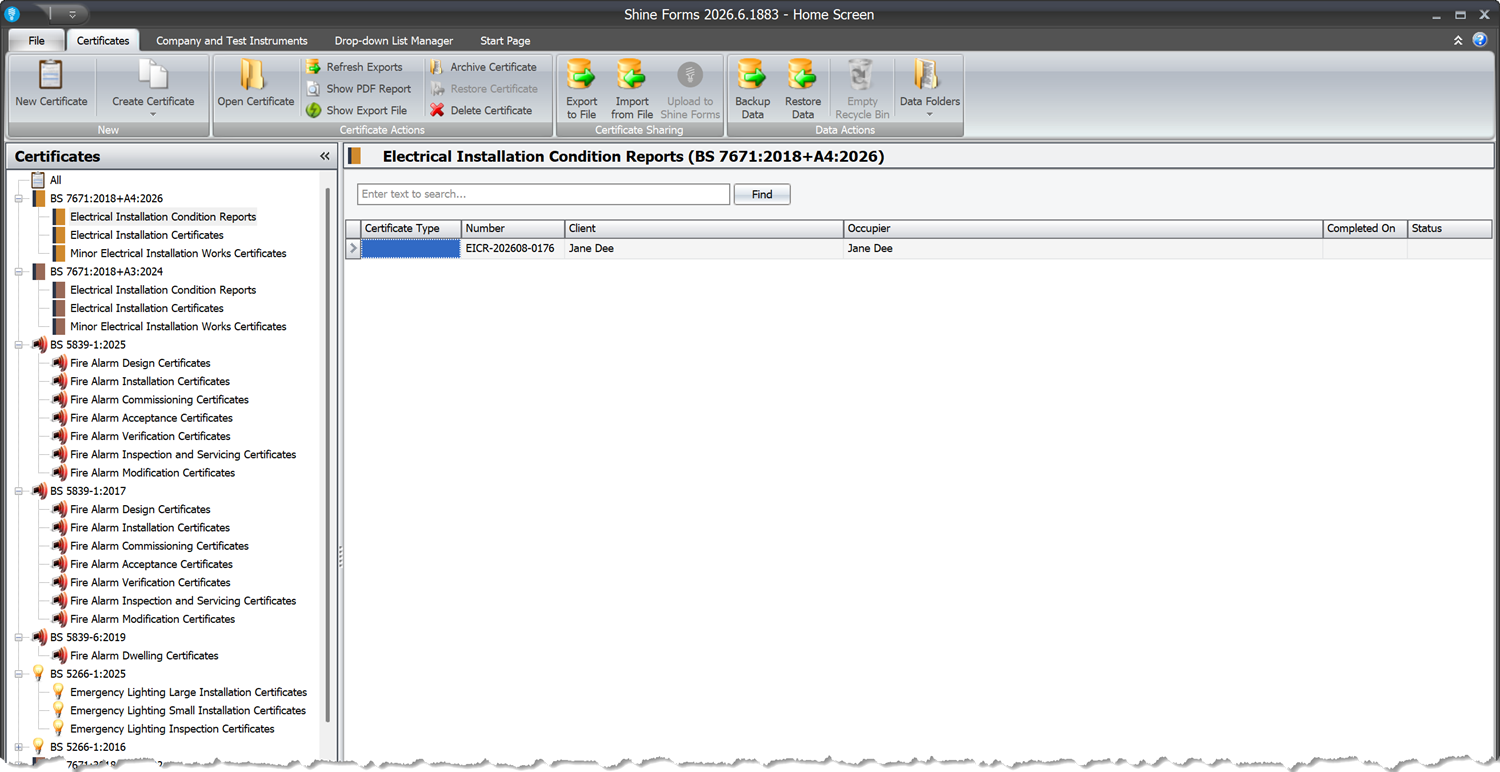
The 2024 forms haven’t gone anywhere. Certificates you have already issued are untouched, work in progress carries on exactly as it is, and when you create a new certificate you choose which edition you are working to. That means you can move over job by job, at your own pace, right up to the October deadline.
If you’d like a refresher on what actually changed in the regulations, our guide Amendment 4 — What’s Changed & What to Do walks through the new chapters and sections and what they mean for your paperwork.
You can also upgrade any of your 2024 certificates to 2026 by selecting the certificate in the Home Screen, then click .
Branded PDFs With The Style Editor
Your certificates can now carry your own branding. The new Style Editor lets you build a design — a cover page, a matching end page, header, footer and edge bands that repeat on every page, and a set of report colours — and then make it the default for the certificate types you choose. After that there is nothing to remember at print time: those reports simply come out branded.
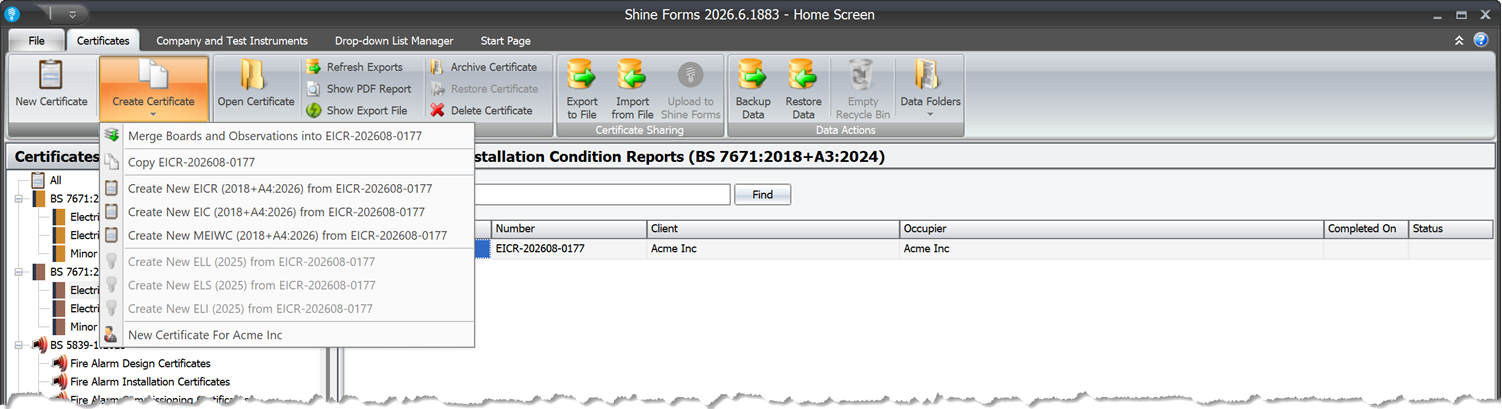
Open it from File → Style Editor on the Home Screen. It starts you off with a library of built-in designs, from three plain starters that pick up your company details automatically, through to six fully branded showcase looks:
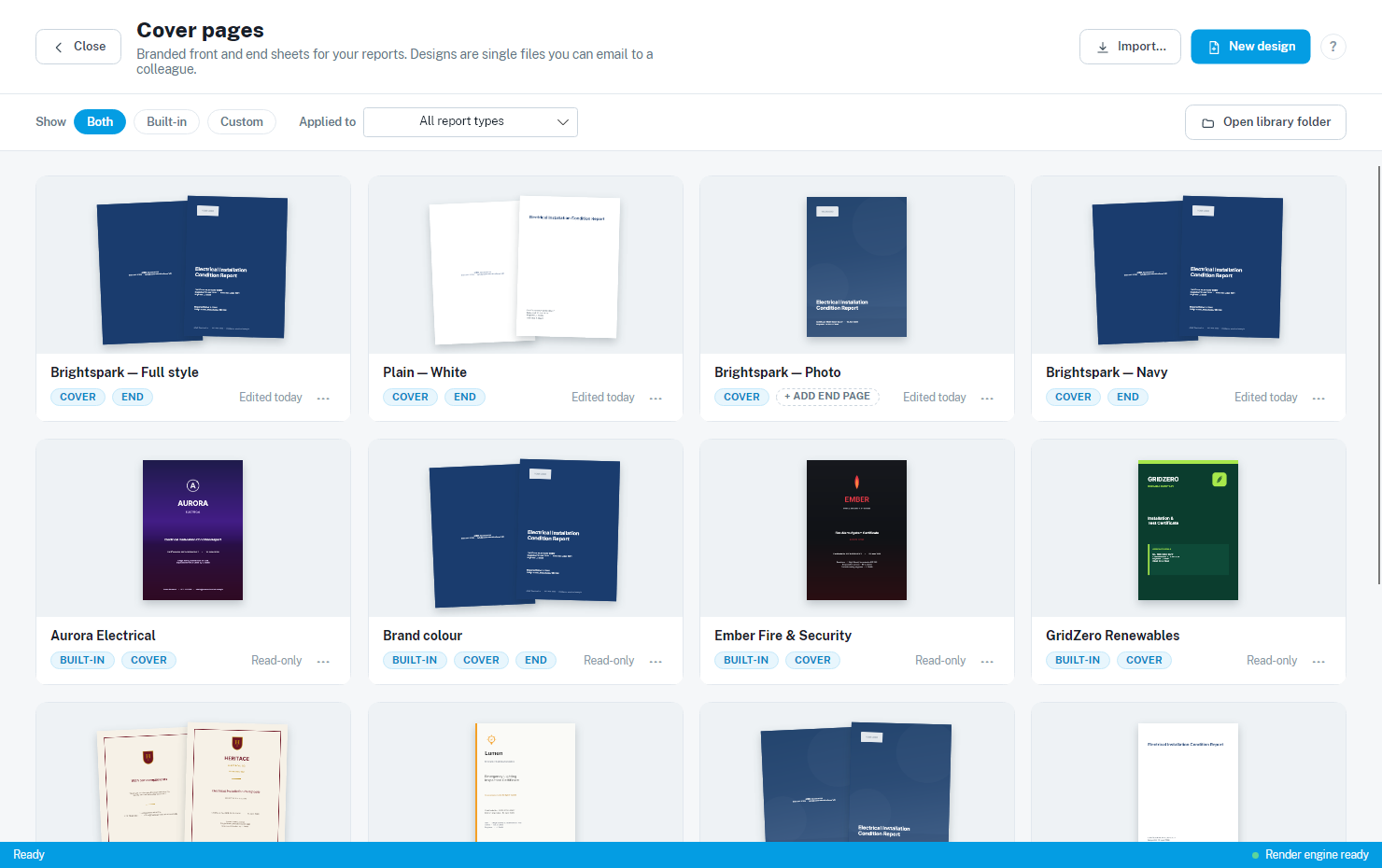
Pick one, duplicate it, and make it yours. Drag blocks around the canvas, drop in your logo, and add text that fills itself in from each certificate — the certificate number, the inspection dates, the client and installation address, your company contact details:
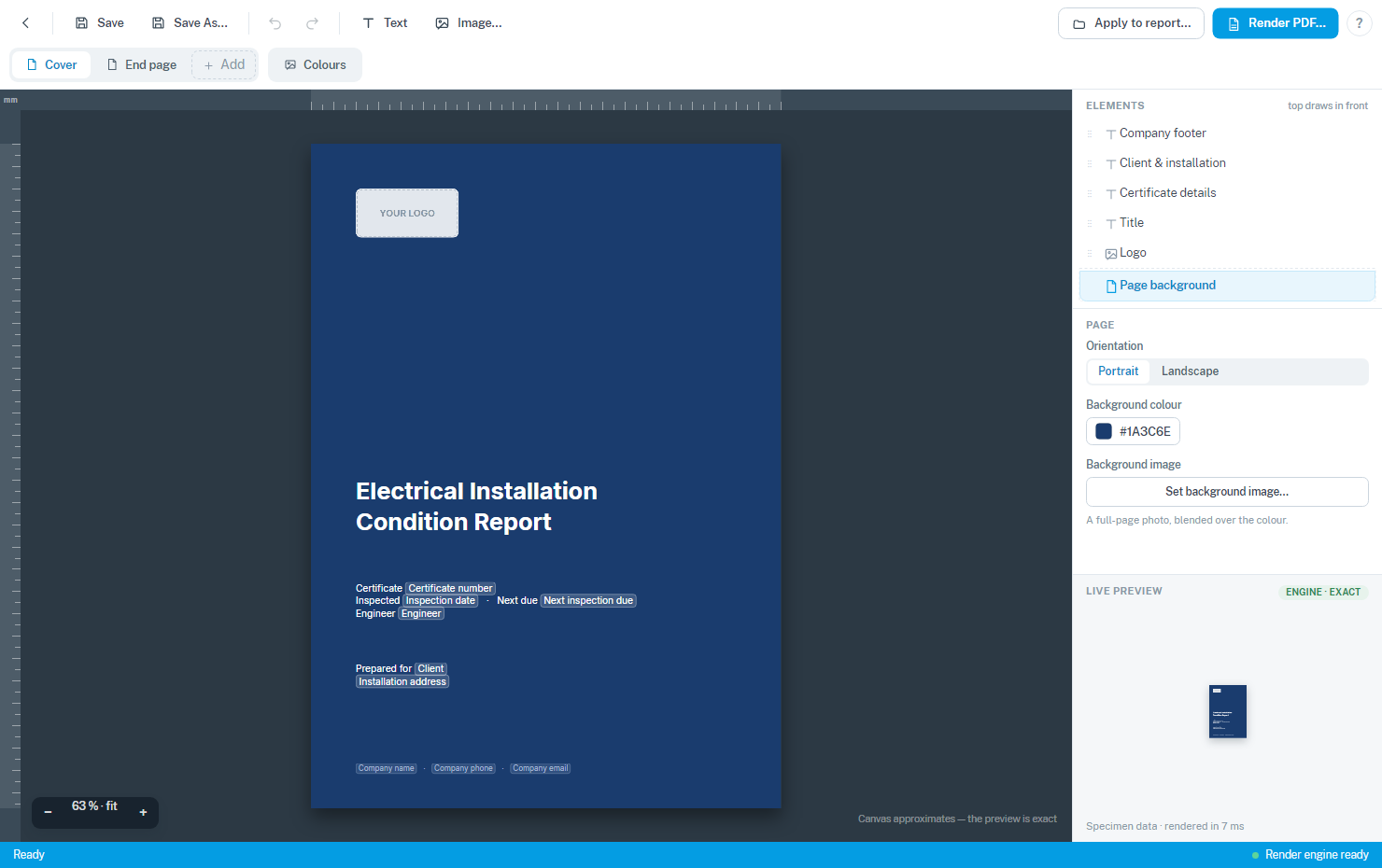
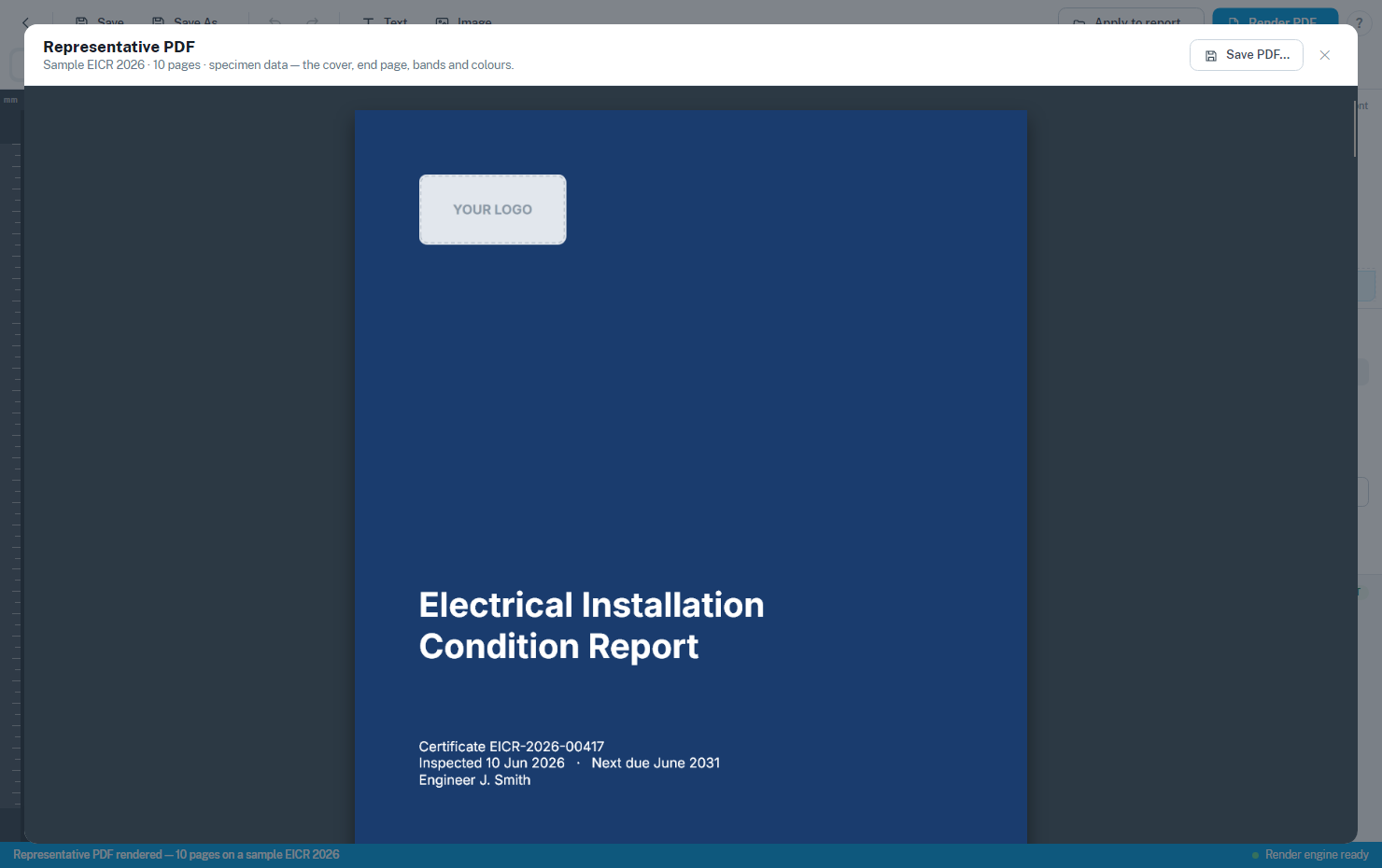
Render PDF… shows you the finished article on a sample certificate with specimen data, so you can see exactly what your customers will get before you commit to anything:
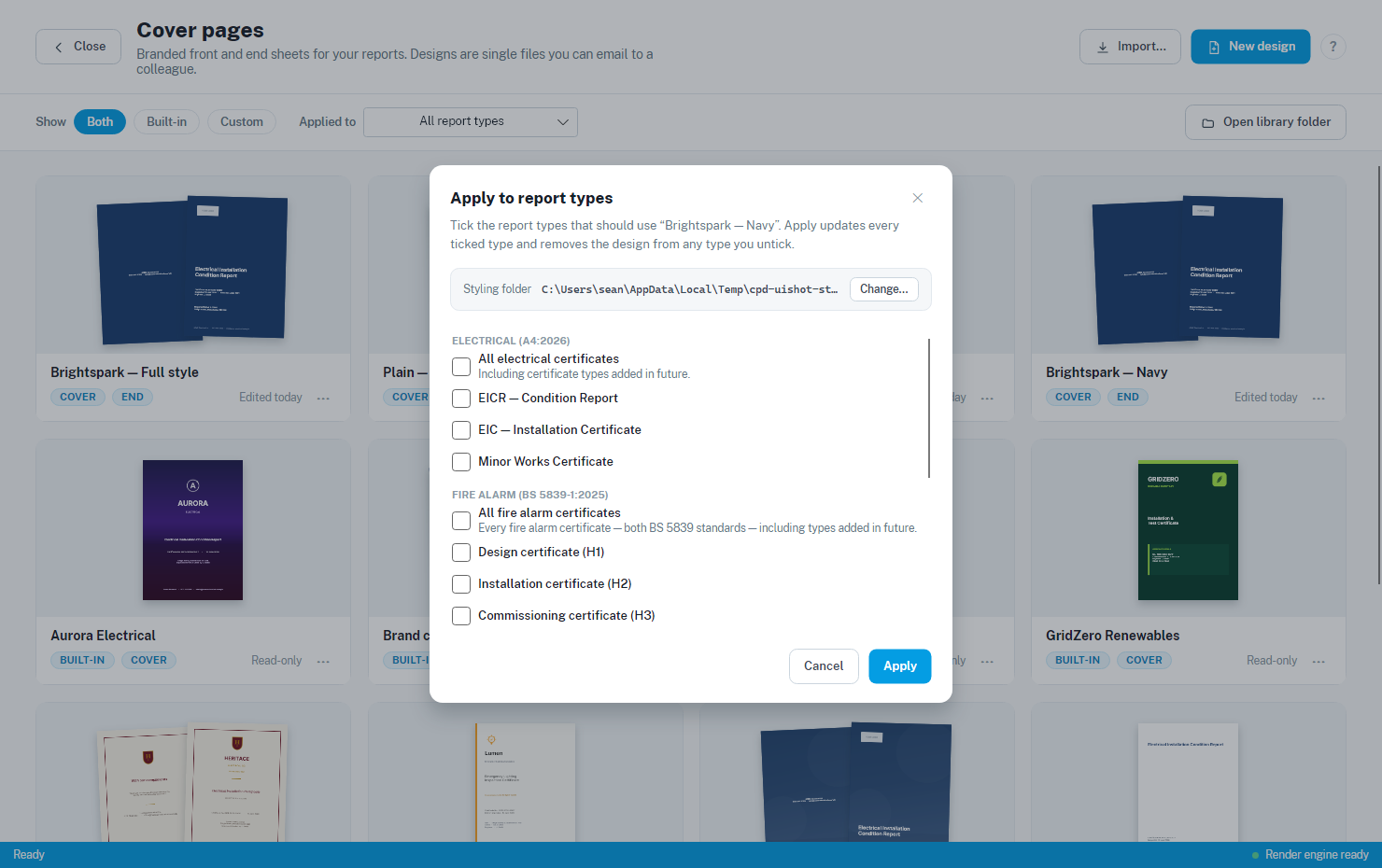
When you’re happy, Default for report type… puts the design to work. Tick the certificate types it should cover — or tick a whole family in one go, which picks up certificate types we add in future versions too:
Designs are a single file, so you can email one to a colleague and they can import it straight into their own library. Reports with no default design print exactly as they always have.
This release brings the new PDF styling to the latest electrical (Amendment 4: 2026), fire alarm and emergency lighting forms.
Read more in our Style Editor documentation.
The Schedule Manager, Outside The Certificate
The Schedule Manager has been rebuilt, and it no longer lives inside a certificate. It now has its own home under File → Schedule Manager on the Home Screen, so you can look after your inspection schedules whenever you like rather than only when you happen to have a report open.
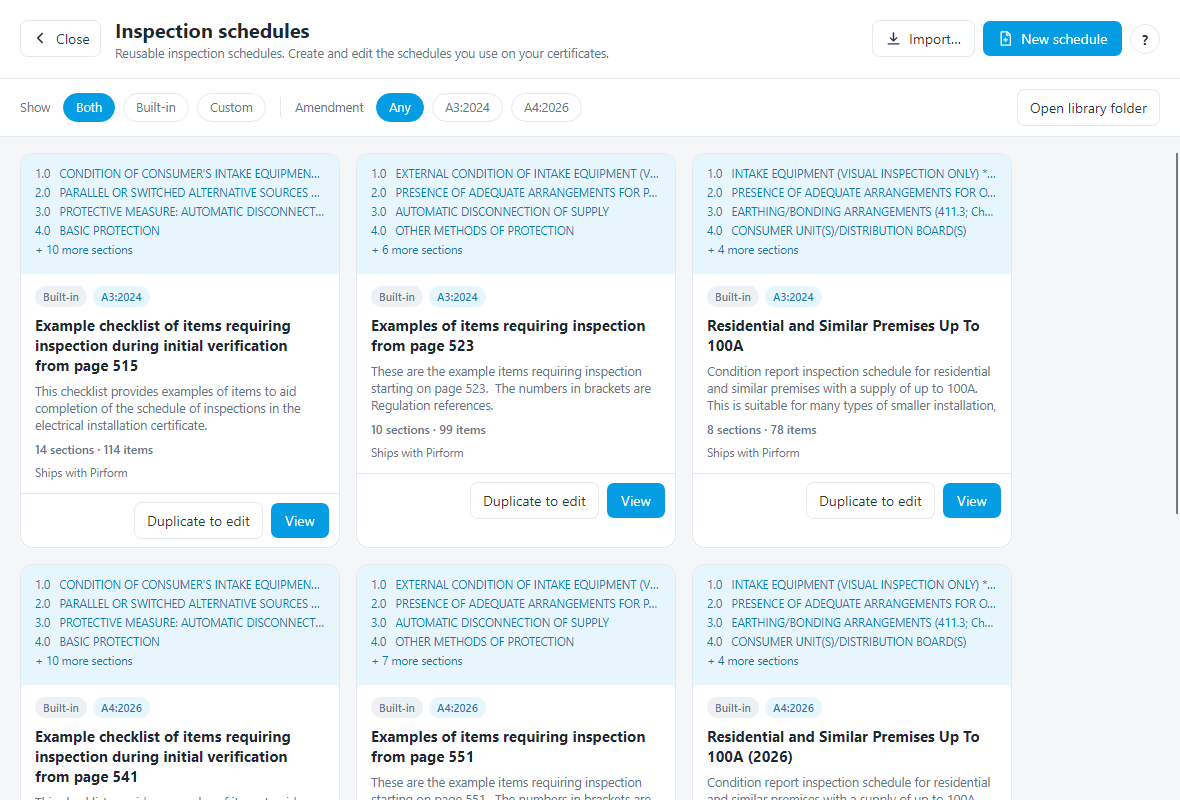
Every schedule is a card showing a preview, whether it is built-in or one of your own, and how many sections and items it holds. Each one also carries an amendment badge — A3
for the 2024 forms, A4 for the new Amendment 4 forms, or both — and you can filter the library by it. When you create a new certificate, the Schedule drop-down offers the schedules that match that certificate’s amendment, so an EICR 2026 shows you A4 schedules and an EICR 2024 shows you A3 ones. Custom schedules you built before amendment tags existed are offered for both, so nothing you made goes missing.The standard BS 7671 schedules stay read-only, so the standard wording is always there to come back to. Duplicate to edit makes an editable copy in your library — carrying its amendment tag with it — and opens it straight in the editor:
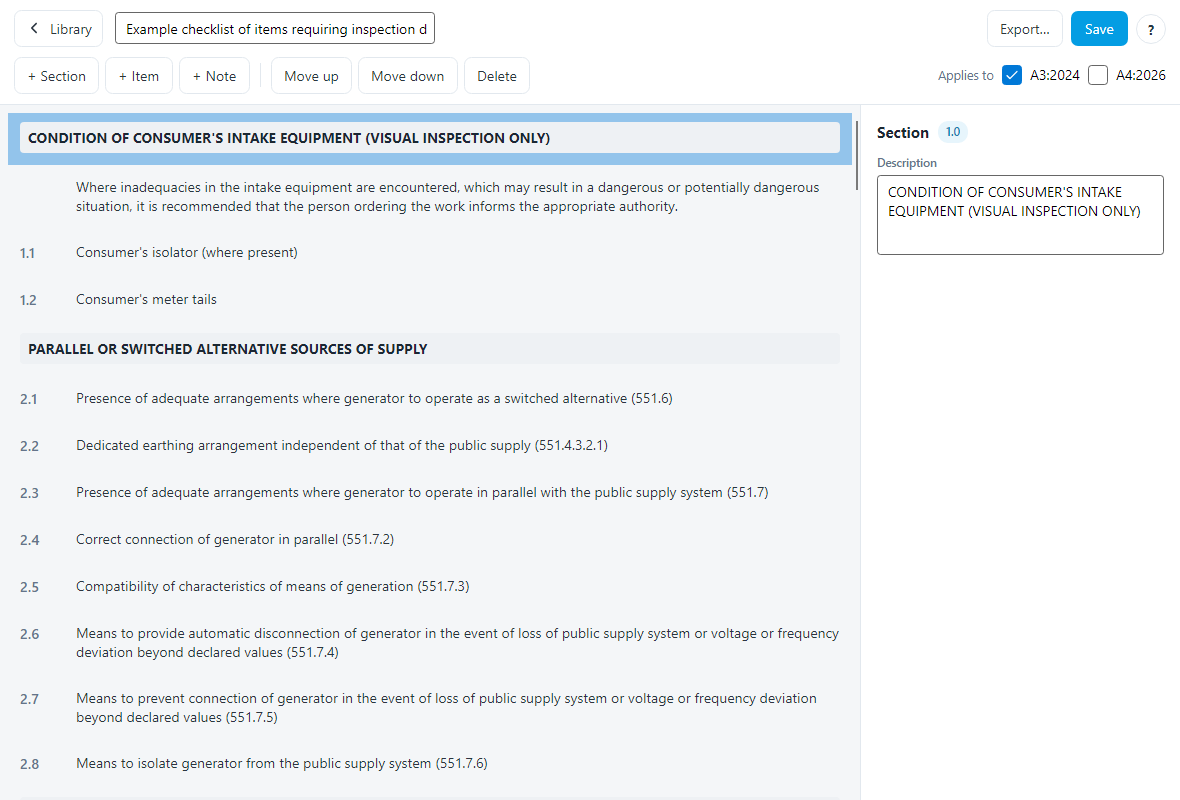
Numbering looks after itself as you add sections, items and notes or move rows around, and you can give an individual item its own outcome list where the standard codes don’t fit.
Read more in our Schedule Manager documentation.
Editing Inspection Schedule Text In Place
On the EICR and EIC 2024 and 2026 forms, you can now edit the text of an inspection schedule line directly from the schedule — just double-click it and type. Handy when a single item needs its wording adjusting for one particular job and you don’t want to build a whole custom schedule for it.
Circuit Columns Stay In View
Scrolling Circuits and Test Results sideways used to take the circuit number and designation off the left of the screen, which made it easy to lose your place and type a reading against the wrong circuit. The columns up to and including the designation now stay in view as the rest of the grid scrolls.
If you preferred it the old way, you can switch it off under Shine Options → Boards and Circuits → General.
Read more in our Boards and Circuits documentation.
Faster PDFs And Faster EICRs
Generating a PDF is now much faster across the Amendment 4: 2026 electrical, fire alarm and emergency lighting forms.
We’ve also supercharged how EICR certificates load. Reports imported from a PEX file used to drag when they carried photo-heavy appendices — now they snap open. Appendix photos are resized behind the scenes rather than stored at full resolution, so you get the same crisp results with none of the wait, and lighter PDFs into the bargain.
Licence Activation Behind Corporate Proxies
Shine Forms could fail to activate or update licences on networks that route internet traffic through a proxy. The cause was an internal connectivity check that relied on a “ping” (ICMP), which proxies and firewalls commonly block — so the app gave up before it ever contacted our servers.
Connectivity is now checked by actually reaching the Shine Forms service over HTTPS, through whatever proxy your device uses. Licence activation, licence updates and version checks all go through your corporate proxy and authenticate automatically using your signed-in Windows account, and network requests time out gracefully instead of hanging if a connection stalls. The same fix has been applied to the Shine Forms Support Tool.
Other Changes and Fixes
- Change: the FA Inspection H6 2025 form now has an appendices control.
- Change: added a single pole option to the RCD poles list, and that list is now user-definable.
How Do I Download The Pre-Release Version?
You can download the pre-release from www.shineforms.co.uk/download/prerelease.
This is a pre-release, so we would love to hear how you get on with it — particularly with the new Amendment 4 forms. Do get in touch if you spot anything that doesn’t look right.