
Shine Forms 2026.4: Configurable Spare Circuits
This release brings fine-tuning to how you mark circuits as spares in Shine Forms, and improvements to the simple schematic.
Configurable Spare Circuits
Previously, Shine Forms detected spare circuits by looking for the word “spare” in the circuit designation. This release adds the ability to recognise blank circuits as spares, and also add your own keywords to mark as spares.
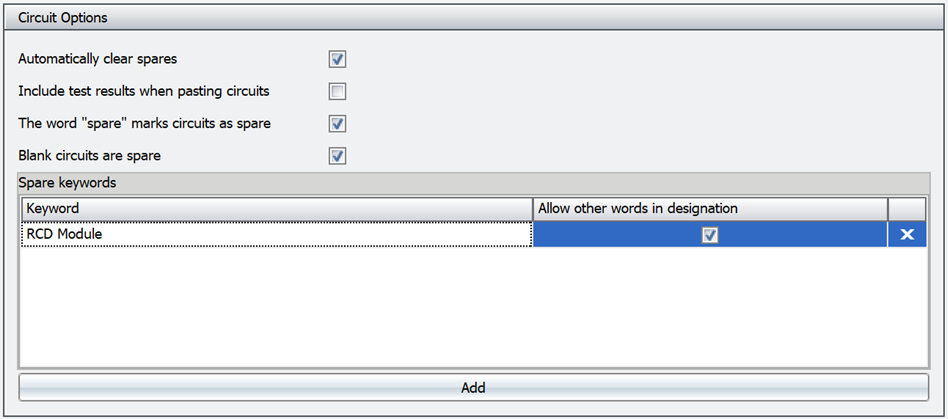
Read more about the Spare Circuits feature.
Export Certificates And Circuit Charts To Excel
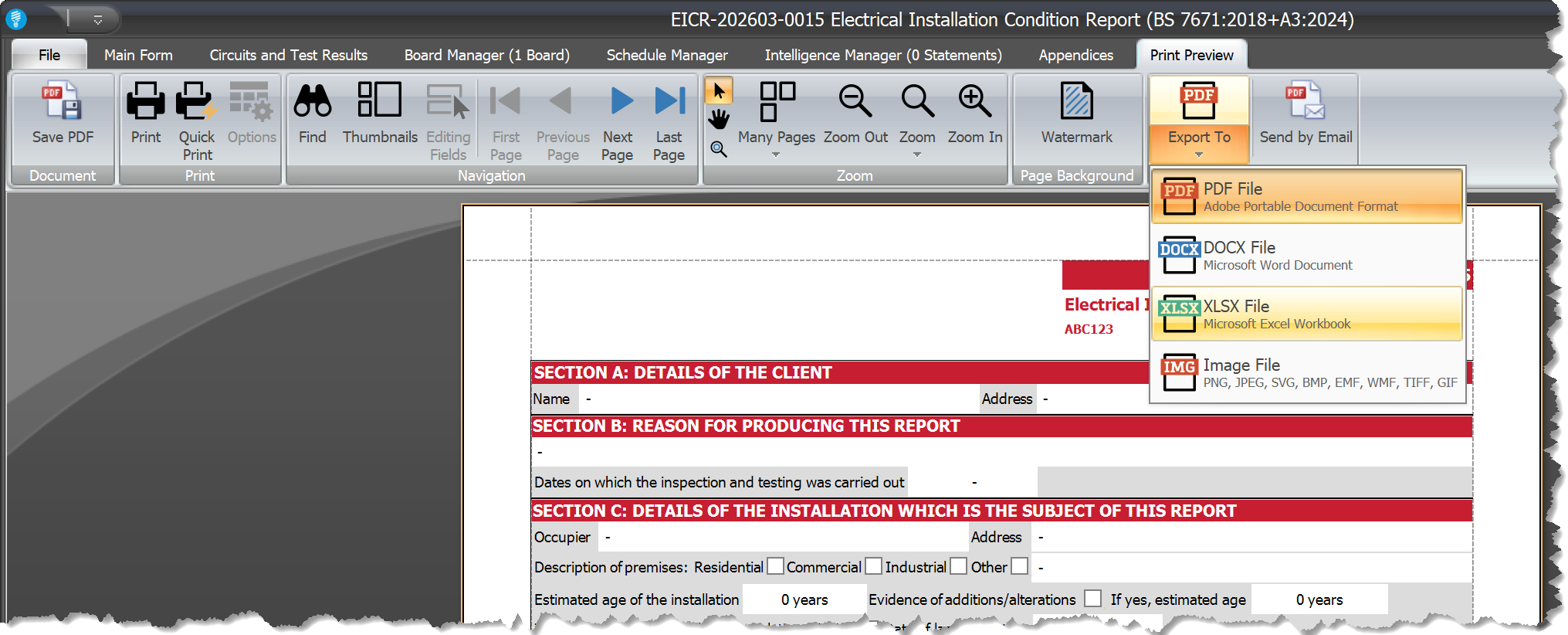
For both certificates and circuit charts, the Print Preview now allows you to export them to Excel.
Simple Schematic Improvements
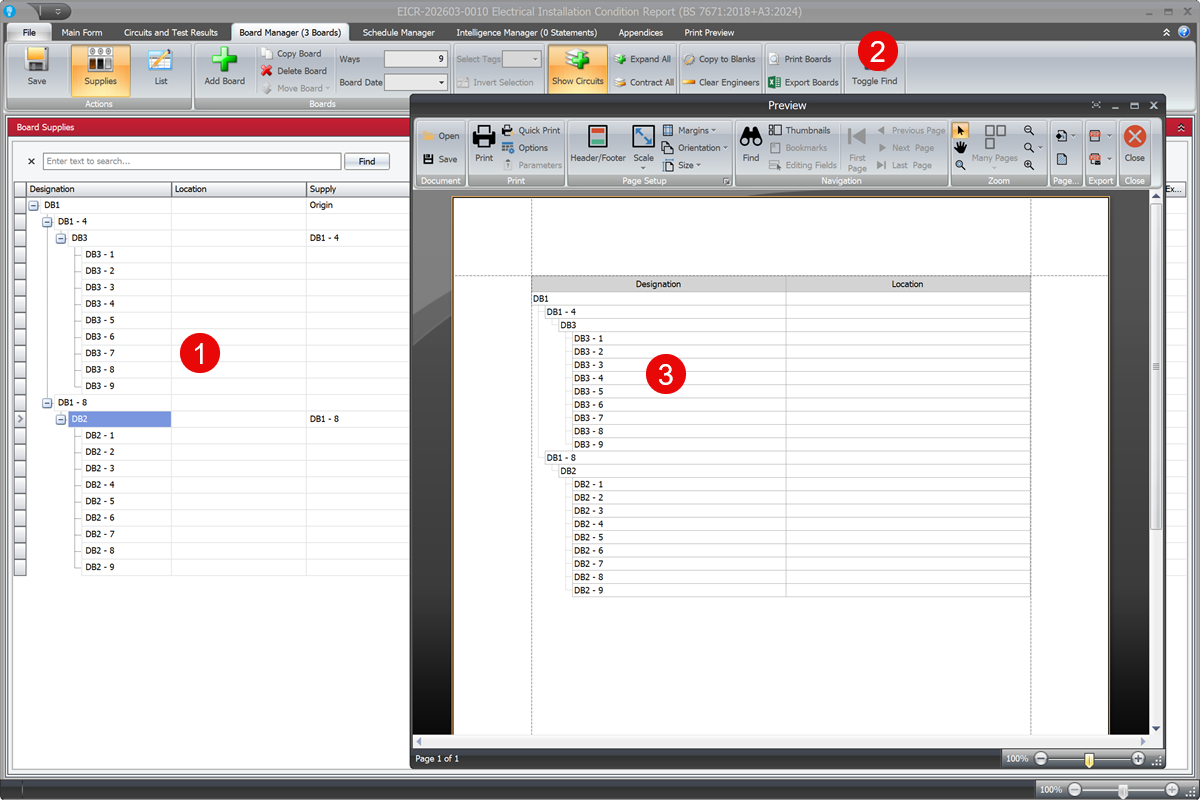
The simple schematic has been updated to show the circuits in the same way as they appear in the Board Manager.
When in the List view in Board Manager, expand the circuits for the boards you want to see in the simple schematic (#1 in the image), then click Print Boards in the ribbon (#2 in the image), and you will see the same arrangement of boards and circuits in the simple schematic (#3 in the image).
Other Changes and Fixes
- Fix: removed a lock error when reindexing the certificate database.
- Fix: removed a stray blank page in the EICR PDF after guidance notes when no appendices were present.
- Fix: no longer changes the expanded state in Board Manager when printing the simple schematic.