We've Upgraded Your Account Sign-In
•
Shine Forms Team
We’ve moved Shine Forms accounts onto a new, more secure sign-in system. This is a behind-the-scenes upgrade — for almost everyone, nothing changes and there’s nothing you need to do.
What stays the same
- Your email address and password are unchanged. Sign in exactly as you do today.
- Your account, licences, orders and saved forms are all exactly where you left them.
- The web address you use to sign in hasn’t changed.
What you might notice
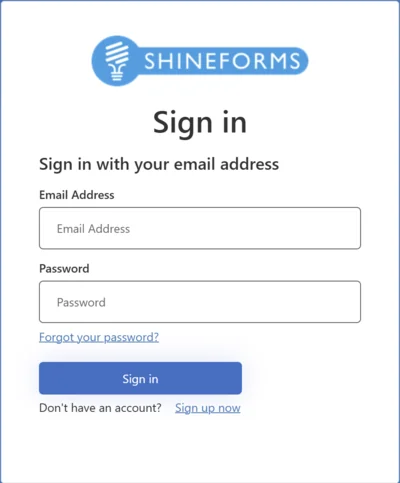
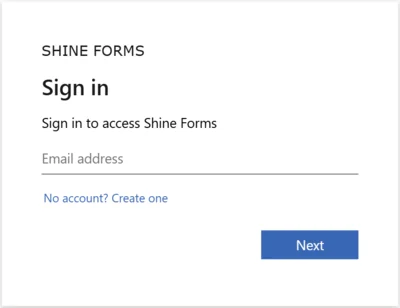
- The sign-in screen looks a little different — same steps (enter your email, then your password), just a refreshed appearance.
- The very first time you sign in after the upgrade, it may take a moment longer than usual while we securely move your account across. That’s a one-time thing — after that, everything is back to its normal speed.
Here’s the sign-in screen before and after the upgrade:
Before
After
Do I need to do anything?
No. You don’t need to reset your password, re-register, or change any settings. Just sign in as normal with your existing email and password.
Forgotten your password?
Use the “Forgot password?” link on the sign-in page and follow the prompts to set a new one — the same as before.
Need a hand?
If you have any trouble signing in, please get in touch with our support team and we’ll sort it out right away.