How to Choose Electrical Certification Software
There’s no shortage of electrical certification software on the market. They all produce certificates. They all claim to be easy to use. The differences are in the detail, and the detail is what catches you out later.
The right electrical certification software checks your values against BS 7671, gets its intelligence from the regulations themselves, works with any scheme provider, runs on desktop and tablet, stores your data safely and comes with support that answers.
These are the things to check before you commit.
Checking your values against BS 7671
Some software is a digital form and nothing more. You type in values, it prints a certificate. Enter something wrong and it prints the wrong value, no questions asked.
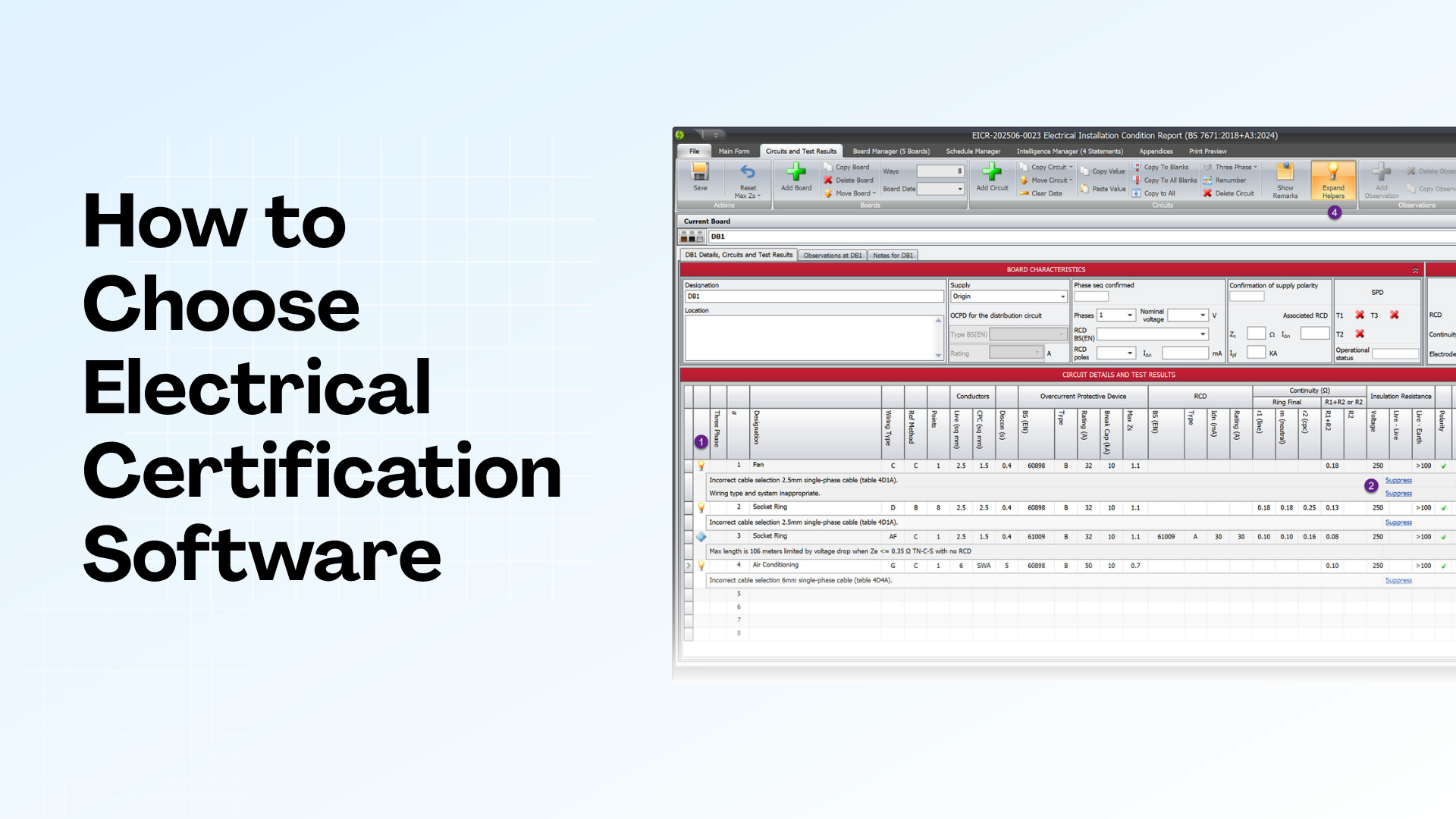
Better software checks what you enter against BS 7671 limits. If a Zs reading exceeds the maximum for that circuit, it flags it. If a cable size does not match the load and installation method, it tells you.
This matters more on EICs, EICRs and Minor Works produced by a team. When several engineers use the same software, or you are signing off work you did not complete yourself, the checking is what protects you.
So before you buy, find out whether the software just accepts what you type or whether it checks that it complies.
How it uses AI
AI is built into a lot of certification software now. The thing to check is where the answers come from.
Some software runs on AI trained on the internet. The internet is full of outdated regulations and plain wrong information, so the software can hand you a confident answer that is years out of date.
Better software has the regulations programmed in and checked against the current standard by someone who knows it. Its answers come from BS 7671 itself, kept current as the standard changes.
So before you buy, find out where the software’s intelligence comes from. Where the answer comes from matters as much as the answer.
Working with any scheme provider
Some software only works with one scheme provider. If you are NICEIC, that is fine. If you want to move to NAPIT or another scheme later, you might need new software.
Other software works with any scheme provider. Your certificates, your choice of scheme.
If that flexibility matters to your business, check it before you buy.
Desktop, tablet or both
Some software is desktop only. Some is tablet only. Some gives you both.
Think about how your engineers work. Some finish certificates on site on a tablet. Others prefer the office and a laptop. Some need both.
Tablet-only software works well until you hit something complex or need to connect to your office systems. Desktop-only software works well until you are on site without a laptop. The best option is the one that fits how your team already works, not how someone thinks you should.
What happens to your data
Your certificates are your records. If the software company disappears, or the app stops working, or a file corrupts, you need to know your data is safe.
Things to check:
- Where your data is stored, on your device, in the cloud, or both
- Whether you can back up certificates yourself or rely on the provider
- Whether you can export your data if you switch software later
- The company track record, and whether they have lost customer data before
This is dull to think about. It stops being dull the day something goes wrong.
How the pricing works
Pricing models vary. Some charge per certificate. Some charge per user per month. Some charge an annual licence fee for unlimited certificates.
Per-certificate pricing adds up fast when you are busy. A quiet month costs less. A busy month costs more than you planned for.
Annual licensing gives you a predictable cost. You know what you are paying for the year, whatever your volume.
Work out what you would pay on your typical workload, not the headline price.
Which certificates and standards it covers
If you only work under BS 7671, most software handles that.
If you also do fire alarm installations under BS 5839 or emergency lighting under BS 5266, check the software covers those too. One system for everything beats juggling several platforms.
Support that answers
Software breaks sometimes. You will have questions. When that happens you want answers quickly, from someone who knows the software.
Check how support works before you commit. Look at how fast they reply, whether you reach someone who understands the product, and whether there is a help desk where you can track your request rather than waiting on an email that disappears.
Reviews from other users tell you more than any sales pitch. Support quality shows up in what people say months in, not on the pricing page.
Try before you buy
Most software offers a free trial. Use it properly.
Do not just click around the interface. Complete a certificate. Enter some test values and see what the software does with them. Try the features you would use day to day.
A trial is your chance to find the problems before you are committed to paying for them.
What we would suggest
We make Shine Forms, so we are biased. But based on everything above, these are the things we think matter most:
- Regulation intelligence verified directly against BS 7671 by someone who helps write it, so it catches errors before you submit them
- Software that is open about where its intelligence comes from, and gets it from the regulations rather than the internet
- Flexibility to work with any scheme provider
- Desktop and tablet options so you can work however suits you
- Reliable data storage, optional cloud backup, and a 15-year record of never losing customer data
- Predictable pricing instead of paying per certificate
- Support that replies fast, from people who know the software
If that sounds like what you are looking for, try a 30-day free trial and see if it fits.